V4 RTL-SDR Bias Tee Issue?

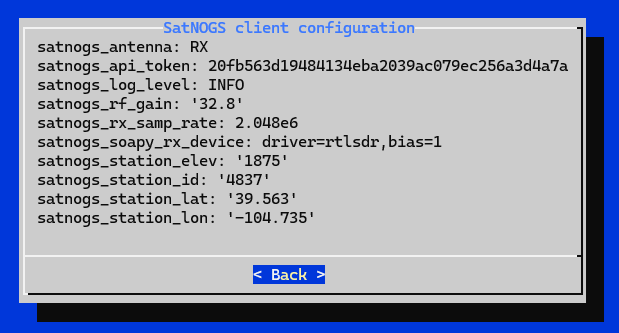
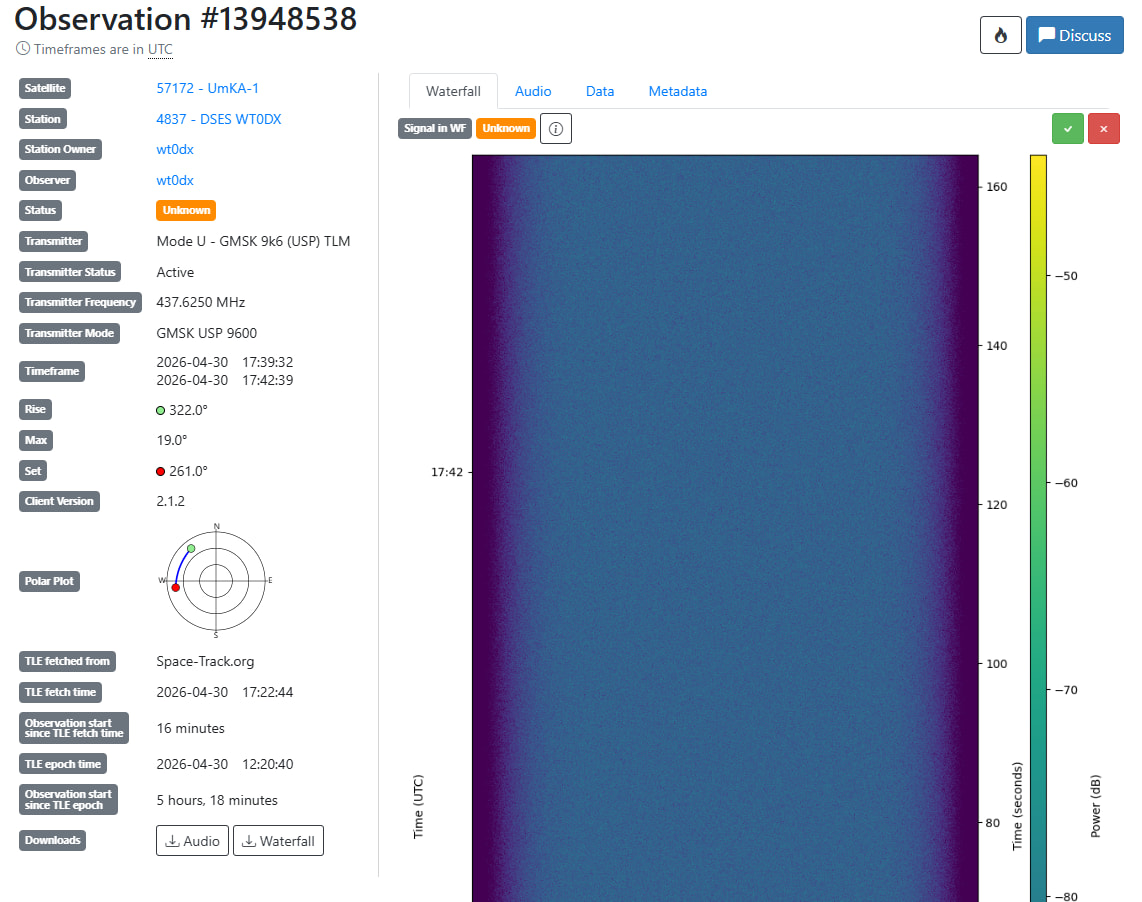
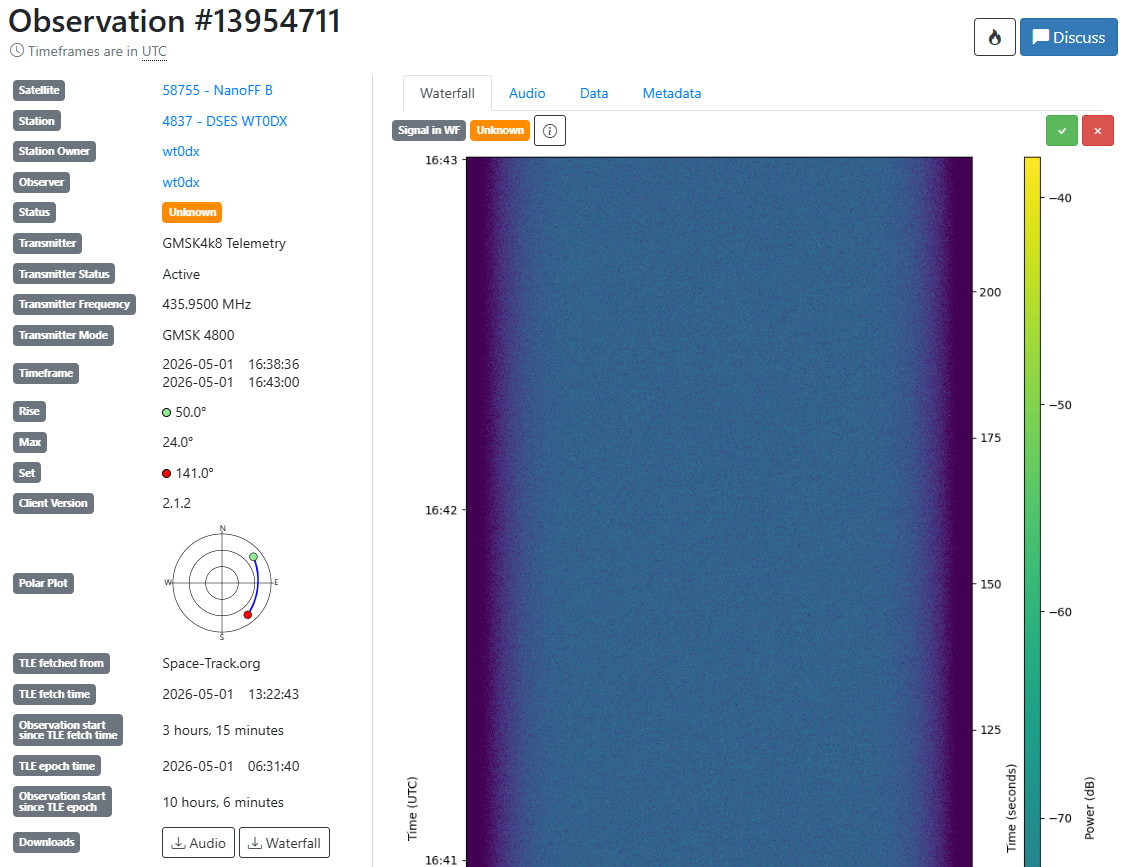
I am building a SatNOGS system from a kit I received from Libre Space at the Dayton Hamfest last year. It will be installed at DSES once its fully tested at my house. https://dses.science/ I have a full view of the Western sky from my backyard (Denver, CO area). See the waterfall I am receiving with gain set to 32.8. In my config I have “satnogs_soapy_rx_device: driver=rtlsdr, bias=1” I have not been successful in receiving ISS passes (or any other satellites). The kit included a V4 RTL-SDR, turnstile antenna, and LNA - and I’m concerned that the bias-tee power is not enabled for the supplied LNA. I’m station 4837 - DSES WT0DX running v2.1.2 software. Suggestions on what to do next?

Bill WT0DX

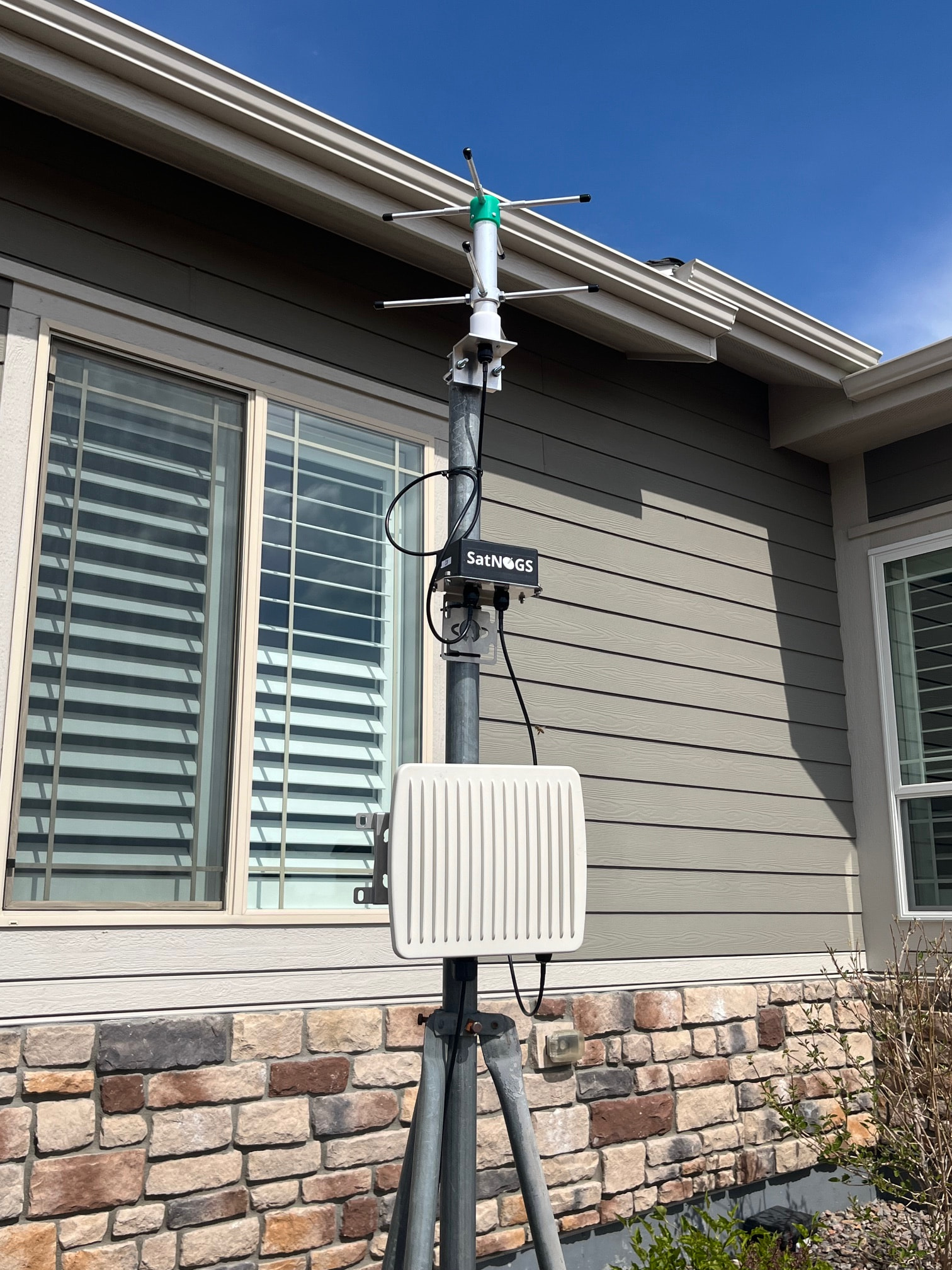
Since I can only post one image per message, here is what the setup looks like:

Bill WT0DX

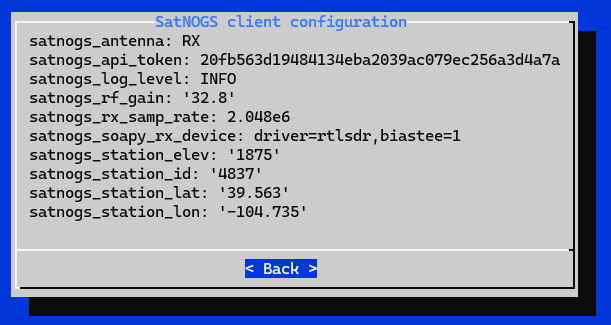
And here are my settings:

Bill WT0DX

Hello Bill,

Looking at the API information of the RTL-SDR, the value should be:

SATNOGS_SOAPY_RX_DEVICE="driver=rtlsdr,biastee=1"

RTL-SDR Settings and value:

SoapySDRUtil --probe="driver=rtlsdr"

######################################################
##     Soapy SDR -- the SDR abstraction library     ##
######################################################

Probe device driver=rtlsdr
Found Rafael Micro R828D tuner
RTL-SDR Blog V4 Detected
usb_claim_interface error -6
[INFO] Opening Generic RTL2832U OEM :: 40004541...
Found Rafael Micro R828D tuner
RTL-SDR Blog V4 Detected

----------------------------------------------------
-- Device identification
----------------------------------------------------
  driver=RTLSDR
  hardware=R828D
  index=0
  origin=https://github.com/pothosware/SoapyRTLSDR

----------------------------------------------------
-- Peripheral summary
----------------------------------------------------
  Channels: 1 Rx, 0 Tx
  Timestamps: YES
  Time sources: sw_ticks
  Other Settings:
     * Direct Sampling - RTL-SDR Direct Sampling Mode
       [key=direct_samp, default=0, type=string, options=(0, 1, 2)]
     * Offset Tune - RTL-SDR Offset Tuning Mode
       [key=offset_tune, default=false, type=bool]
     * I/Q Swap - RTL-SDR I/Q Swap Mode
       [key=iq_swap, default=false, type=bool]
     * Digital AGC - RTL-SDR digital AGC Mode
       [key=digital_agc, default=false, type=bool]
     * Test Mode - RTL-SDR Test Mode
       [key=testmode, default=false, type=bool]
     * Bias Tee - RTL-SDR Blog V.3 Bias-Tee Mode
       [key=biastee, default=false, type=bool]

----------------------------------------------------
-- RX Channel 0
----------------------------------------------------
  Full-duplex: NO
  Supports AGC: YES
  Stream formats: CS8, CS16, CF32
  Native format: CS8 [full-scale=128]
  Stream args:
     * Buffer Size - Number of bytes per buffer, multiples of 512 only.
       [key=bufflen, units=bytes, default=262144, type=int]
     * Ring buffers - Number of buffers in the ring.
       [key=buffers, units=buffers, default=15, type=int]
     * Async buffers - Number of async usb buffers (advanced).
       [key=asyncBuffs, units=buffers, default=0, type=int]
  Antennas: RX
  Full gain range: [0, 49.6] dB
    TUNER gain range: [0, 49.6] dB
  Full freq range: [-0.001, 1764] MHz
    RF freq range: [0, 1764] MHz
    CORR freq range: [-0.001, 0.001] MHz
  Sample rates: [0.225001, 0.3], [0.900001, 3.2] MSps
  Filter bandwidths: [0, 8] MHz

Jan | PE0SAT
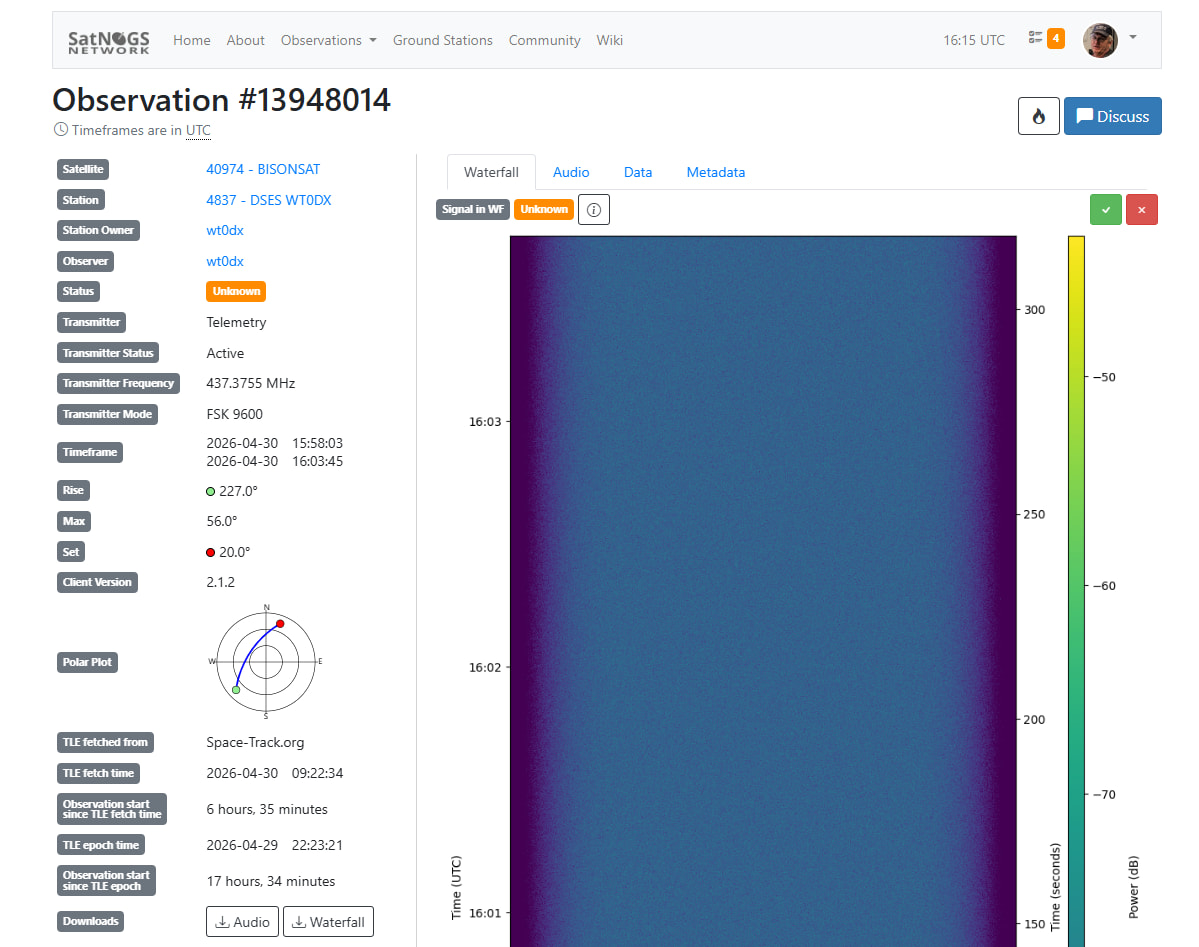
Jan, thanks for the quick response! I have made that change to the configuration and will report back my findings.

Bill WT0DX

1 Like

Unfortunately, that change didn’t impact the waterfall noise level… looking for next steps to troubleshoot.

Note that Claude AI (for what it’s worth) thinks that I might need to update the device driver for V4: “The V4 is a newer dongle and requires an updated version of the RTL-SDR drivers to properly control the bias-tee. The older rtl_biast tool may not work correctly with it.” I’m not a Linux guy so updating drivers make me a bit nervous.

Is there any way for me to check that the bias-tee power is in fact enabled? Software report or Voltmeter on SDR output?

Bil WT0DX

btw what LNA type you use? can you take picture of it? ussualy lna have a led for power indicator.

when obs, the biastee should active, and you can check the volt using voltmeter, + to inner (core). it should be around 5v

Good question. As I mentioned above the kit was provided by Libre Space Foundation and the LNA is mounted in a sealed weatherproof box (black box in the photo). I can try opening it when the weather is good and see if there is an indicator light.

73 Bill WT0DX

@wt0dx I’ve removed your API key, as you have exposed it in the posts above. In order to get a new one you follow the same process as previously, a new one will be generated.

Don’t forget to change it in the station’s configuration and apply the changes.

For not having similar issue in the future, you can either edit the screenshots and remove the API Key or use the Support report by following the instructions in the second yellow box in the troubleshooting guide:

Generate support report by the menu item Advanced -> Support in sudo satnogs-setup

1 Like

Oh… sorry, I won’t do that again!

While I have been focused on the Bias Tee setting, if anyone has other suggestions on how I can debug my system, I would appreciate your thoughts.

73 Bill WT0DX

1 Like

Hi Bill,

Strange, you should see a clear difference when the LNA is operational.
At the same time, I am not familiar with this kit. @fredy is there some information online or a contact?

But some basics: Looking at the meta data from your obeservations this is running the latest version so all software should be fine and won’t need any updates.

The hardware RF chain should be: Pi → SDR → LNA → Antenna.
Is it possible the LNA is connected in reverse, there is Antenna input (Antenna side) and output+dc (SDR side)

The RTL-SDR V4 also has a red led that is illuminating when the bias-t is active.

Please check this and try again.

Jan | PE0SAT

1 Like

I’m pinging @aris12 and @dbita who have built the kit and will know more details about it.

Not sure if useful for debugging, here is the latest documentation of the kit:

1 Like

Hello Bill,

As Jan suggested please check whether the bias-T is indeed enabled, otherwise it will not work.

The connections seem correct if identified by the labels. However, it probable but rather unlikely that the labels have been reversed.

Thanks everyone. Once I can bring the system back indoors, I will check the wiring, any visible leds, and bias-tee voltage. I did look and the labels on my LNA are the same as in the instruction book.

In the meantime, I ran another experiment to see if increasing the SDR RF gain would show up in the waterfall. I had been running at 32.8 and changed to 43.4. I assumed that it would change the color (more noise). The result was no visible change! Here is the latest chart, which can be compared to previous versions earlier in this discussion.

73 Bill WT0DX

1 Like

seen like the cable from SDR to antenna is broken or not connected well

I have the moved system into my garage for easier access to the components. Before I moved the system this morning, I received a what I believe was a very weak ISS pass. Question: does the software do doppler shift compensation, as the signal was centered in the passband for the entire session.

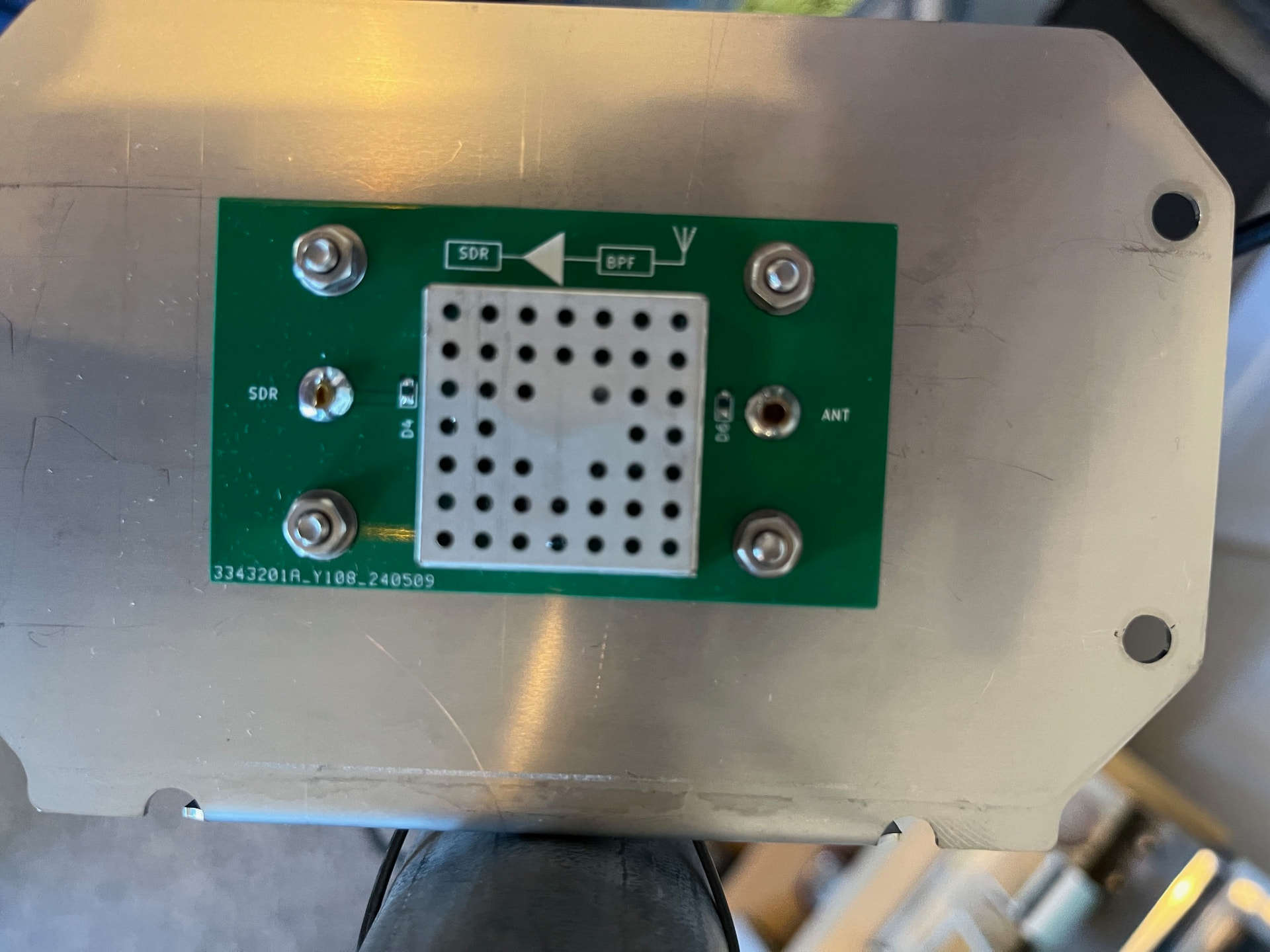
I removed the cover of the LNA module and took a photo - see below. I didn’t see any LED. I then scheduled a satellite pass, and once it was started, I measured the DC voltage at the input of the LNA - it was ZERO. Well, that explains a lot…

Next step is to open the RPi / RTL-SDR module (14 screws) and trace the continuity of the cables. Once again, I will run a satellite pass and see if any LED lights up on the RTL-SDR V4.

FYI… here is a snippet of the commands from this satellite run using this command:
sudo docker logs satnogs_satnogs-client --follow

INFO satnogsclient.observer.observer Start gnuradio thread.
rig_check_rig_caps: p1=0x7f84940640, p2=0x7f84946bc0, rig_model=0x7f84940640, macro_name=0x7f84946bc0
initrigs4_dummy: _init called
rig_init: rig_model=Hamlib NET rigctl
rig_init: rx_range_list1 is empty, using rx_range_list2
rig_init: rig does not have tx_range!!
netrigctl_init version 20230106.0
Found Rafael Micro R828D tuner
RTL-SDR Blog V4 Detected
[INFO] Opening Generic RTL2832U OEM :: 00000001…
Found Rafael Micro R828D tuner
RTL-SDR Blog V4 Detected
[INFO] Using format CF32.
Allocating 15 zero-copy buffers
netrigctl_close: done
INFO satnogsclient.observer.observer Observation 13963807 finished.
INFO satnogsclient.scheduler.tasks Upload of waterfall image for observation 13963807 successful.
INFO satnogsclient.scheduler.tasks Upload of audio recording for observation 13963807 successful.

73 Bill WT0DX

1 Like

yes .

Good morning Bill,

Thanks for all the time sharing information and investigating.

Just to be clear, the LED that I mentioned is on the RTL-SDR, I am not aware of a LED on this LNA board that is shown in your post.

There is also a command line option to enable the bias-t, this will make debugging easier.

enable bias-t docker exec satnogs_satnogs-client rtl_biast -d 0 -b 1
disable bias-t docker exec satnogs_satnogs-client rtl_biast -d 0 -b 0

If you get a permission denied or similar add sudo to the command.

Jan | PE0SAT

1 Like

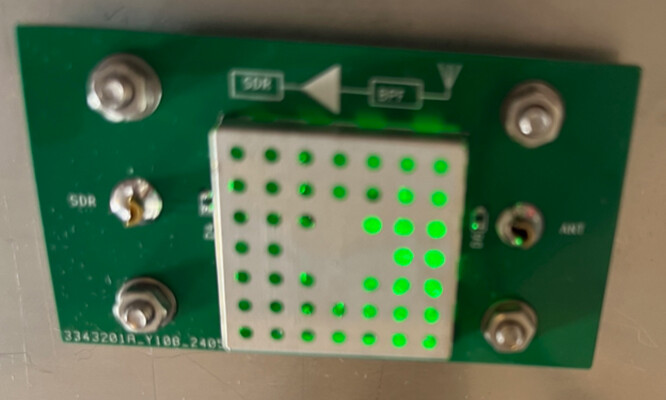
Jan, thanks for your suggestion to test the bias tee power using those commands. The good news is that I can turn the power on/off with those commands. Also, there is a LED under the LNA shield. Therefore, there is not a hardware / wiring issue. See the photo below.

Now the bad news is that the SatNOGS software won’t turn on the bias tee power. In fact, if it’s on and I start a satellite observation, the software turns it off!

I’m at a loss as to what I can try next…

The configuration I have is:
“satnogs_antenna”: “RX”,
“satnogs_api_token”: “[redacted]”,
“satnogs_log_level”: “INFO”,
“satnogs_rf_gain”: “43.4”,
“satnogs_rx_samp_rate”: “2.048e6”,
“satnogs_soapy_rx_device”: “driver=rtlsdr,biastee=1”,
“satnogs_station_elev”: “1875”,
“satnogs_station_id”: “4837”,
“satnogs_station_lat”: “39.563”,
“satnogs_station_lon”: “-104.735”

73 Bill WT0DX

it should be:
driver=rtlsdr,biastee=true