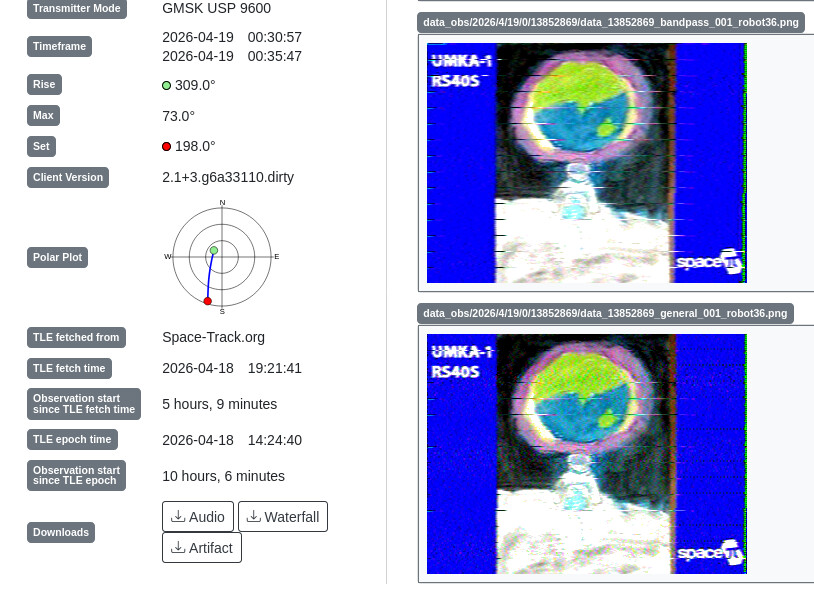
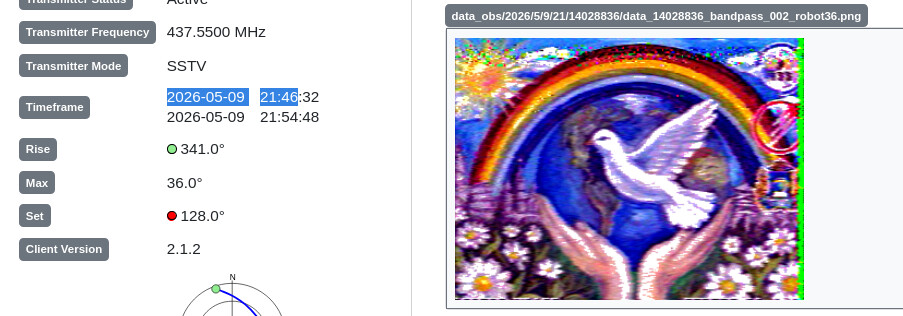
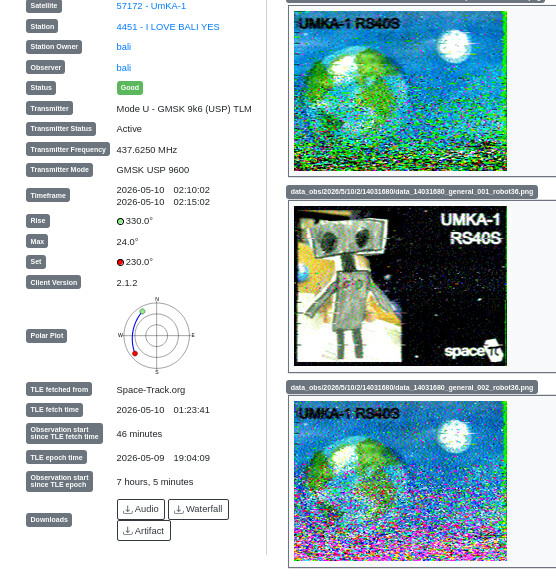
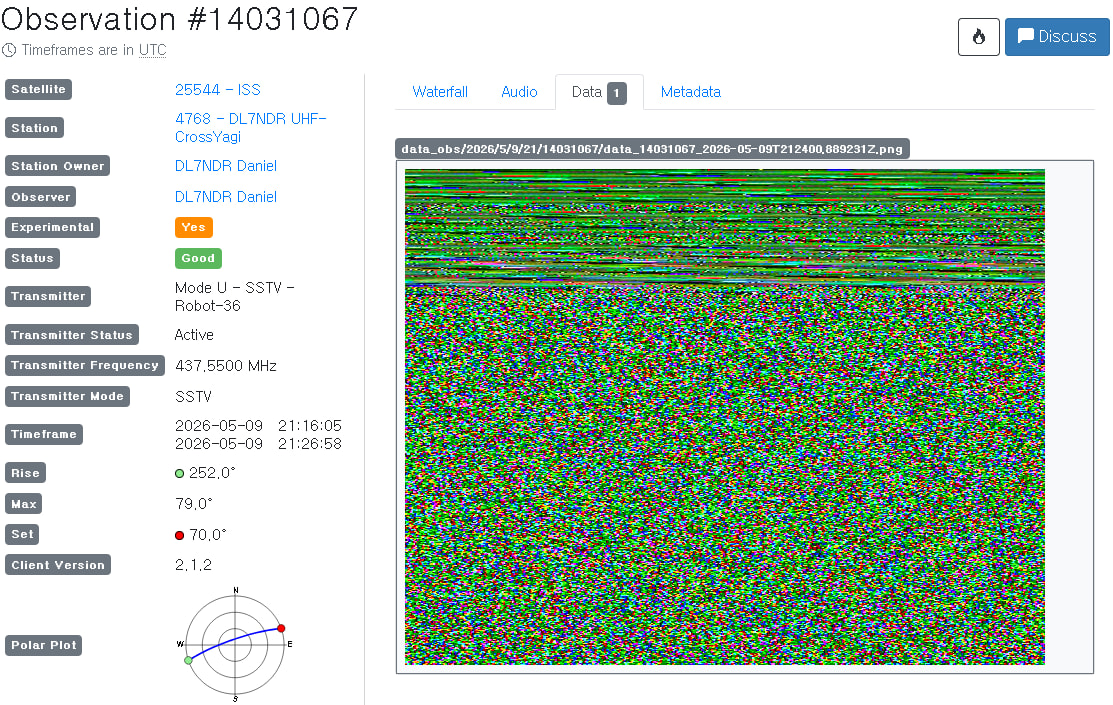
Regarding Observation 13809762 …
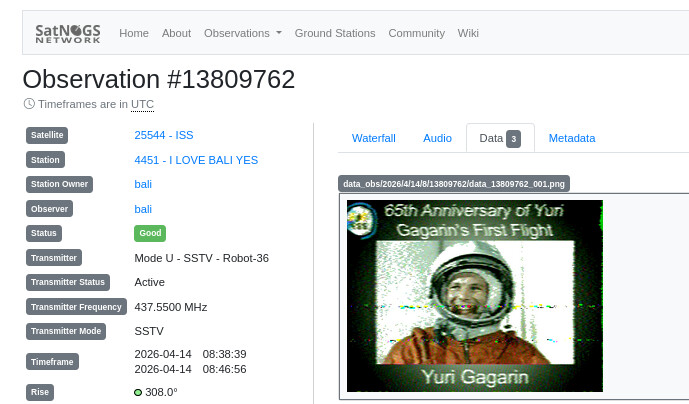
I’m trying to make an SSTV auto decoder for SatNOGS (python script, forked from colaclanth/sstv, and it looks like it works flawlessly. I will share a tutorial and source code on this page:
SSTV mode supported:
Martin 1, 2
Scottie 1, 2, DX
Robot 36, 72
this work flawless on latest satnogs-client docker (version 2.1.1) (running on raspberry with satnogs manual docker installation)
STEP BY STEP
change directory to your ground station directory:
cd ~/station-4330
create directory app (If it already exists, skip this step)
mkdir app
edit docker-compose.yml
nano docker-compose.yml
Look at the line that contains:
    volumes:
      - type: 'tmpfs'
        target: '/tmp'
Then copy and paste the following text right below it:
      - type: 'bind'
        source: './app'
        target: '/app'
edit station.env:
nano station.env
find the following variable and change its value to: (if it doesn’t exist yet, add it)
SATNOGS_POST_OBSERVATION_SCRIPT=/app/satnogs-post {{ID}} {{FREQ}} {{TLE}} {{TIMESTAMP}} {{BAUD}} {{SCRIPT_NAME}}
go to app dir:
cd app
copy paste and run this command (download the sstv2satno add on script):
git clone https://github.com/hobisatelit/sstv2satno
create satnogs-post script (If it already exists, just edit and add the new line):
nano satnogs-post
copy paste this
#!/bin/bash

/app/sstv2satno/sstv.sh stop "$@" &
make it executable:
chmod 755 satnogs-post
restart the station:
cd ~/station-4330
sudo docker-compose down && sudo docker-compose up -d && sudo docker-compose logs -f
and.. finish! 
just create a new observation for satellites that have SSTV event.
by default, these SSTV Satellites are included in my sstv script.
25544 - ISS
57172 - UmKA-1
67290 - SAKHACUBE
40931 - LAPAN-A2
57180 - Monitor-3
61762 - ArcticSat-1
67291 - QMR-KWT 2
57189 - VIZARD-meteo
48274 - CSS (Tianhe)
57203 - UTMN2
67279 - GALAPAGOS-UTE-SWSU
59112 - SONATE-2
57190 - Nanozond-1
but you can edit these file by yourself, just go to file ~/app/sstv.sh
when the observation finish, and your logs seen like these, that mean the sstv decoder is work:
logs
satnogs_client_1  | [sstv] Searching for calibration header... Found!
satnogs_client_1  | [sstv] Detected SSTV mode Robot 36
[sstv] Decoding image...   [######] 100%e...   [......]   0%
satnogs_client_1  | [sstv] Drawing image data...
satnogs_client_1  | [sstv] ...Done!
satnogs_client_1  | [sstv]
satnogs_client_1  | Image 1 decoded successfully!
satnogs_client_1  | [sstv] Searching for calibration header... Found!
satnogs_client_1  | [sstv] Error decoding image: SSTV mode is unsupported (VIS: 0)
satnogs_client_1  | [sstv] Searching for calibration header... Found!
satnogs_client_1  | [sstv] Error decoding image: SSTV mode is unsupported (VIS: 0)
satnogs_client_1  | [sstv] Searching for calibration header... Found!
satnogs_client_1  | [sstv] Error decoding image: SSTV mode is unsupported (VIS: 0)
[sstv] Searching for calibration header... Found!    header... 224.
satnogs_client_1  | [sstv] Error decoding image: SSTV mode is unsupported (VIS: 0)
satnogs_client_1  | [sstv] Searching for calibration header... Found!
satnogs_client_1  | [sstv] Error decoding image: SSTV mode is unsupported (VIS: 0)
satnogs_client_1  | [sstv] Searching for calibration header... Found!
satnogs_client_1  | [sstv] Error decoding image: Error decoding VIS header (invalid parity bit)
satnogs_client_1  | [sstv] Searching for calibration header... Found!
satnogs_client_1  | [sstv] Error decoding image: SSTV mode is unsupported (VIS: 0)
satnogs_client_1  | [sstv] Searching for calibration header... Found!
satnogs_client_1  | [sstv] Error decoding image: Error decoding VIS header (invalid parity bit)
satnogs_client_1  | [sstv] Searching for calibration header... Found!
satnogs_client_1  | [sstv] Error decoding image: SSTV mode is unsupported (VIS: 0)
satnogs_client_1  | [sstv]
satnogs_client_1  | [sstv]
satnogs_client_1  | Total images decoded: 1
satnogs_client_1  | output_dir: /tmp/.satnogs/data
satnogs_client_1  | [sstv] Image 001 saved as /tmp/.satnogs/data/data_13809762_qsstv_001.png
satnogs_client_1  | INFO     satnogsclient.observer.observer Artifacts upload for observation 13809762 successful.
73!
bali