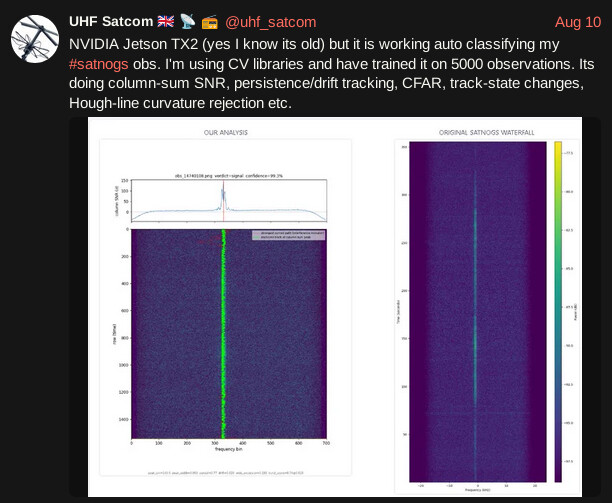
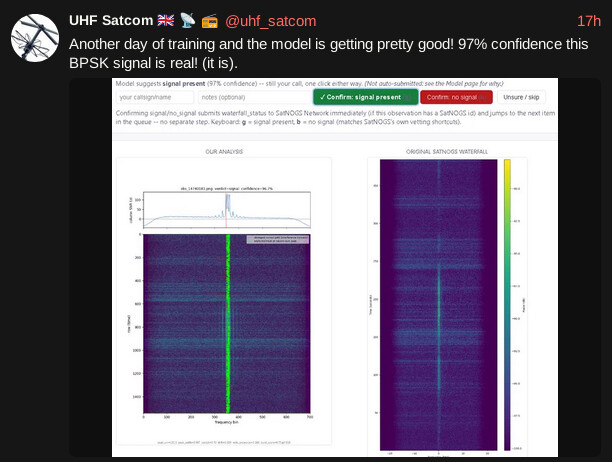
Instead of using u you can also use the right arrow with your other hand to skip the current one… also it is easy to go back by using the left arrow if needed.
Depending on the amount of observations, it may be easier to go per satellite, this is very helpful as you have only one pattern in your mind to identify.
As I’m usually vet per satellite here are some more advices for this method:
If the satellite is pretty active, vet only the clearly good/easy to spot signal in waterfall, so only hitting g or right arrow and then go for the unvetted ones that need better attention.
If the satellite is less active, vet only the clearly bad/easy to spot no signal in the watefall, so only hitting b or right arrow and then go for the unvetted with signals and determine if the signals belong to the satellite or not.
The above methods can be used also for vetting multiple satellites but more difficult to spot or not the signal as per satellite there is a different pattern.
As sometimes there is a need for re-vetting a satellite’s observation, here are the steps I’m choosing to follow:
- Filter by choosing
With Signal in “Rated Artifacts” filter (in more filters). This give you all the observations with waterfall vetted with signal, so with a quick pass you can agree with the vetting and hit the right arrow or disagree and hit the b button.
- Then filter good observations (keep enabled only the green tick) and choose
Non Rated in “Rated Artifacts” filter (in more filters). This will give you the observations with data that automatically marked as good. In general case the data belong to the satellite, and vetting waterfalls is mostly limited to hit the g button.
- Then filter
Without Signal in “Rated Artifacts” filter (in more filters). This give you all the observations with waterfall vetted without signal, so with a quick pass you can agree with the vetting and hit the right arrow or disagree and hit the b button.
- Then filter
Non Rated in “Rated Artifacts” filter (in more filters). This give you all the remaining observations with unvetted waterfall, so you follow the standard vetting process.
Part of the above can also be used when you don’t focus only on one satellite, but as I said focus to one satellite makes things easier.
While the previous method is good, there is a case that I prefer not to use it, this is when the satellite has issues and we have few or none good observations or in other words when searching if the satellite is alive.
In this case I choose to go with getting all the observations and vet them carefully using what @bali described, but keeping the already vetted once too. In this way due to some overlapping observations, it is easier to say if the signal you see in this observation is also visible on the next/previous which performed on the same time, as the observations are ordered by start time. This way is easy to spot terrestrial signals or signals from other satellites, however…
Caution! Not seeing signal in one observation but see on another at the same time doesn’t necessarily mean that the signal doesn’t belong to the satellite as if station has observed signal or not depends on various parameters, for example different pass elevation, different duration (which currently affect waterfall size and resolution), station status, station calibration, station receiving capabilities, noise levels, satellite pointing etc.
By the way vetting by keeping in mind the (stations) networked nature can give advantages, like the one described above.
Finally I take the chance to talk about the upcoming and currently developed feature of multi-vetting. That in its first phase will allow vetting of one waterfall from multiple sources/ursers (no need to be a station owner to vet as it is now), that will result in more automation (tools that will analyse the waterfall (or other artifacts in the future) and auto-vet) and by suitable tuning (simple for this phase but better in the next ones) will give more accurate/trusted results.