Stvid setup, Pi5 4GB, Pi HQ camera , looks like succesfull

So, google search returned Pi5 and hq camera don’t work together in Ubuntu 24.04

That’s not completely true, the new tools do show video and jpg images but that’s not supported by stvid (from cbassa repository at least)

So, switched to Bookworm 64 on the Pi5 where the camera tools work, camera connected to J4 / cam1 by the way.

But cbassa’s repository still failed on Picameraz

Eelke replied to try his repository GitHub - EelkeVisser/stvid at picamera2 · GitHub

Which I tried but apparently the wrong way. Never thought about the git checkout

So what works now:

sudo apt update
sudo apt install -y python3-picamera2 python3-libcamera libcamera-apps python3-venv git make gcc

cd ~/software
git clone GitHub - EelkeVisser/stvid: Satellite tracking with video cameras · GitHub
cd stvid
git checkout picamera2

But, neither 64 bit OS ? supports pip installing anymore and complains about externally managed environment.

So it requires to make a venv.
The default venv settings did not give access to the installed camera libraries and tools, so, not working:

python3 -m venv stvid-env
source stvid-env/bin/activate
pip install --upgrade pip
pip install -r requirements.txt

This does install the requirements, but not working camera environment.
And the tle-updater.py from Eelke’s repository does not work , giving 400 errors on url. So I removed all lines and replaced them by the tle-updater.py from cbassa’s repo

All tle’s ended up in the right folder but still problems accessing Picamera2 from module picamera2

So : tried this

Not working:

sudo apt update
sudo apt install -y python3-picamera2 python3-libcamera libcamera-apps
source stvid-env/bin/activate
python3 acquire.py

STVID appears to be running in an venv with no access to system site packaged.

So:
rm -rf stvid-env
python3 -m venv --system-site-packages stvid-env
source stvid-env/bin/activate
pip install --upgrade pip
pip install -r requirements.txt

(failed with one error for which duck duck go advised to also pip install --upgrade setuptools wheels )

After following Duck’s advice the requirements installed without problems.

Changed some configuration.ini settings to match my location and setup.

Run the picamera2 check

python3 -c “from picamera2 import Picamera2; print(‘OK’)”

With the lovely output “OK”

Started python3 acquire.py -t 600 -l and magically a window popped up, showing a bright white screen. Brightness changed with moving the diafragma ring

After that I asked CoPilot how to get vnc access without HDMI cable connected to the Pi

Had to enable VNC in raspi-config

Had to add a virtual screen
sudo nano /boot/firmware/config.txt

Add these lines to the bottom

hdmi_force_hotplug=1
hdmi_group=2
hdmi_mode=82

Saved and shutdown the Pi5
Removed the mini hdmi and USB keyboard

Repowered the Pi5 by network / poe connecting
Checked for the Pi5 by ping.
Connected vnc to port 5900 and voila, there was light.

The unanswered question is, would this have worked with Ubuntu 24.04 with Eelke’s repository too…

3 Likes

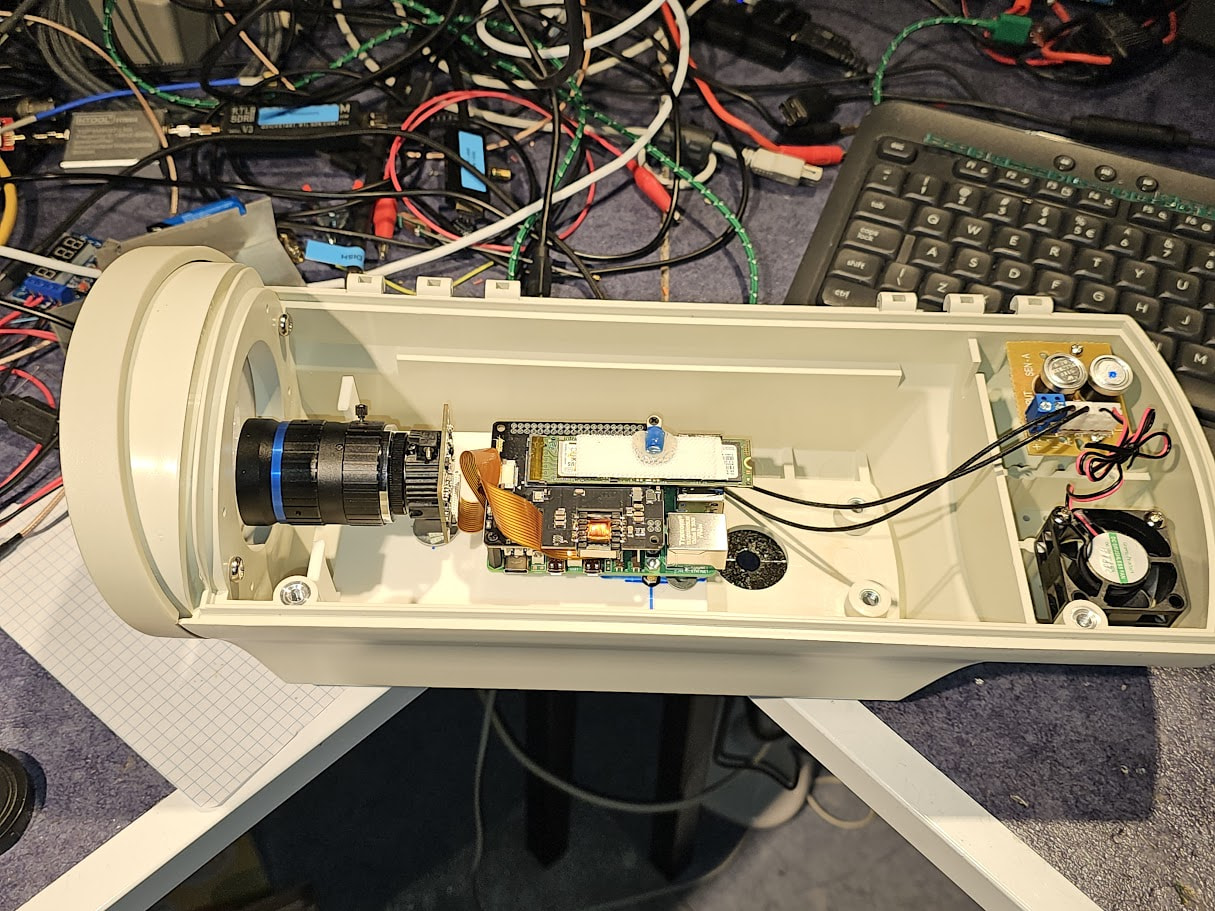
Camera housing. Not the best choice for the mounting issues, there is no mounting bracket inside, so I 3d printed a base, used 2 of the 4 mounting bracket holes to mount that base, made some holes for the Pi bolts, realised you never get nuts beneath the plate. Mounted the bolts in the plate with nuts as spacers, and had to attach nuts on top of the Pi pcb to fix it. Then realised it needed to be unmounted because I forgot the hole for the Pi Camera. That also needs the bolt from the bottom so I used split lock washer to align it for the right height and have it steadily mounted.

Keep in mind that the lens is the shortest with the focus far away and to keep reflections as little as possible I mounted the lens as close as possible with the focus still a bit adjustable

Both the camera and the lens came with the c/cs mount adapter which you need for this application / combination.

Both the camera and Pi and the POE / NVME board came without instructions about the orientation of the flatcables. Some study showed the stiffener on the cable get on the same side as the connector lid. That appeared to be the case for both the camera cable and the pcie cable for the NVME.

The camera has a 12 V heater with double thermal sensor and a 12 V fan. Have to find a way to take 12 V up there…

1 Like

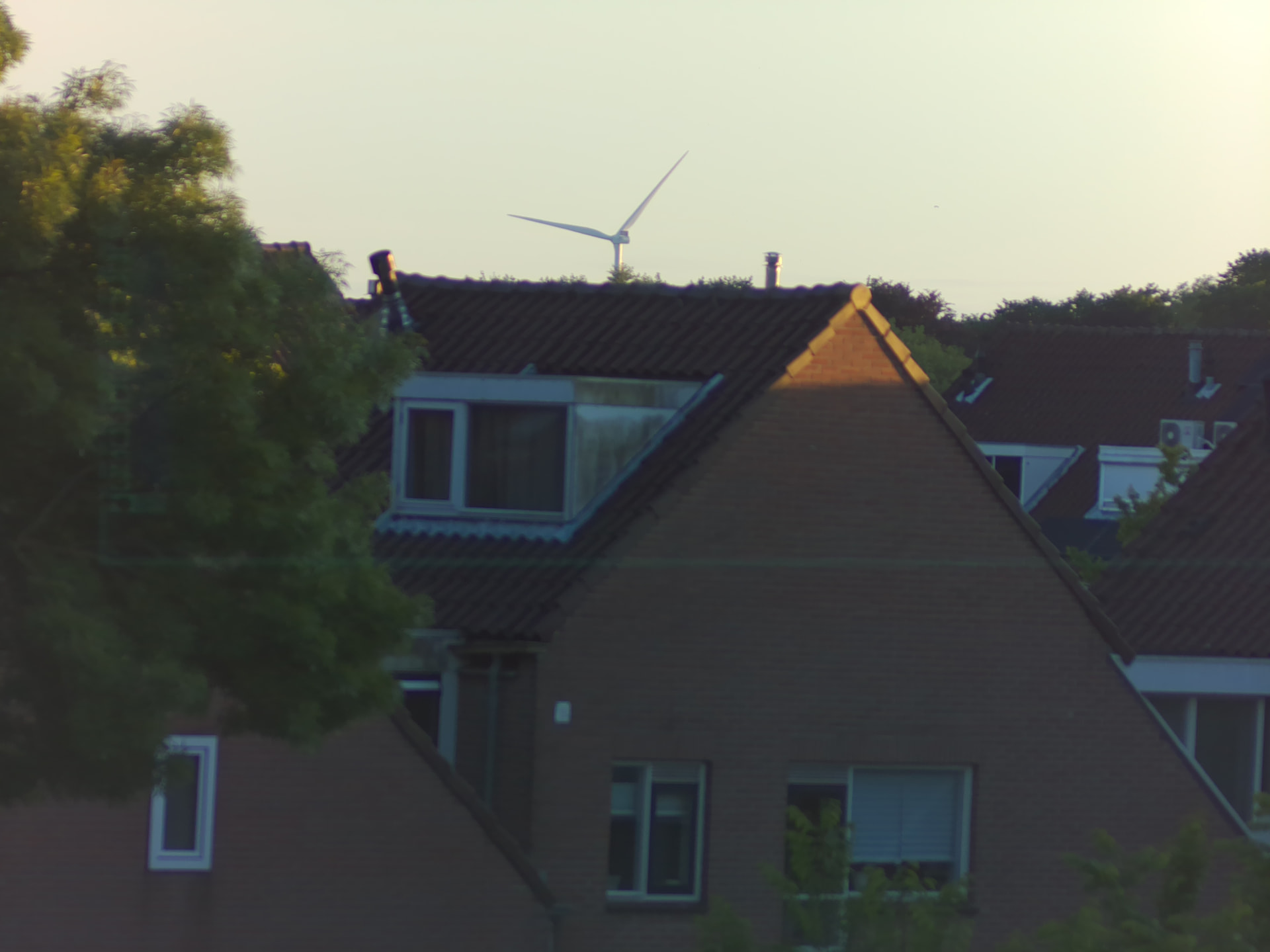
The focus with diafragma wide open but pointing towards the West where the sun sets.
2000 meter distance from the camera.

4 Likes

After some messing around and testing the setup behind HR++ glass there was no calibration succesfull, some images showed stars :slight_smile: but not enough for calibration.

Yesterday (22-05-2026) I closed the housing and made a bracket to be able to place the camera outside on the roof, guesstimated elevation about 40 degrees pointing West.

Started acquire with -l and viewed some actually starry images after F1 SQ3
Started process.py on the given folder, but process.py first mentioned calibration succesfull but in the next step it failed with some error . With help of AI that should be an issue with the newest Python version.

python3.11 and 3.12 are not available for download so I went for python3.11 from source and installation with make altinstall, after that a seperate venv with python3.11.9 was created to run process.py (decided to keep acquire.py in it’s own venv to prevent me from maybe noticing another error tonight for incompatibility with python3.11 venv.

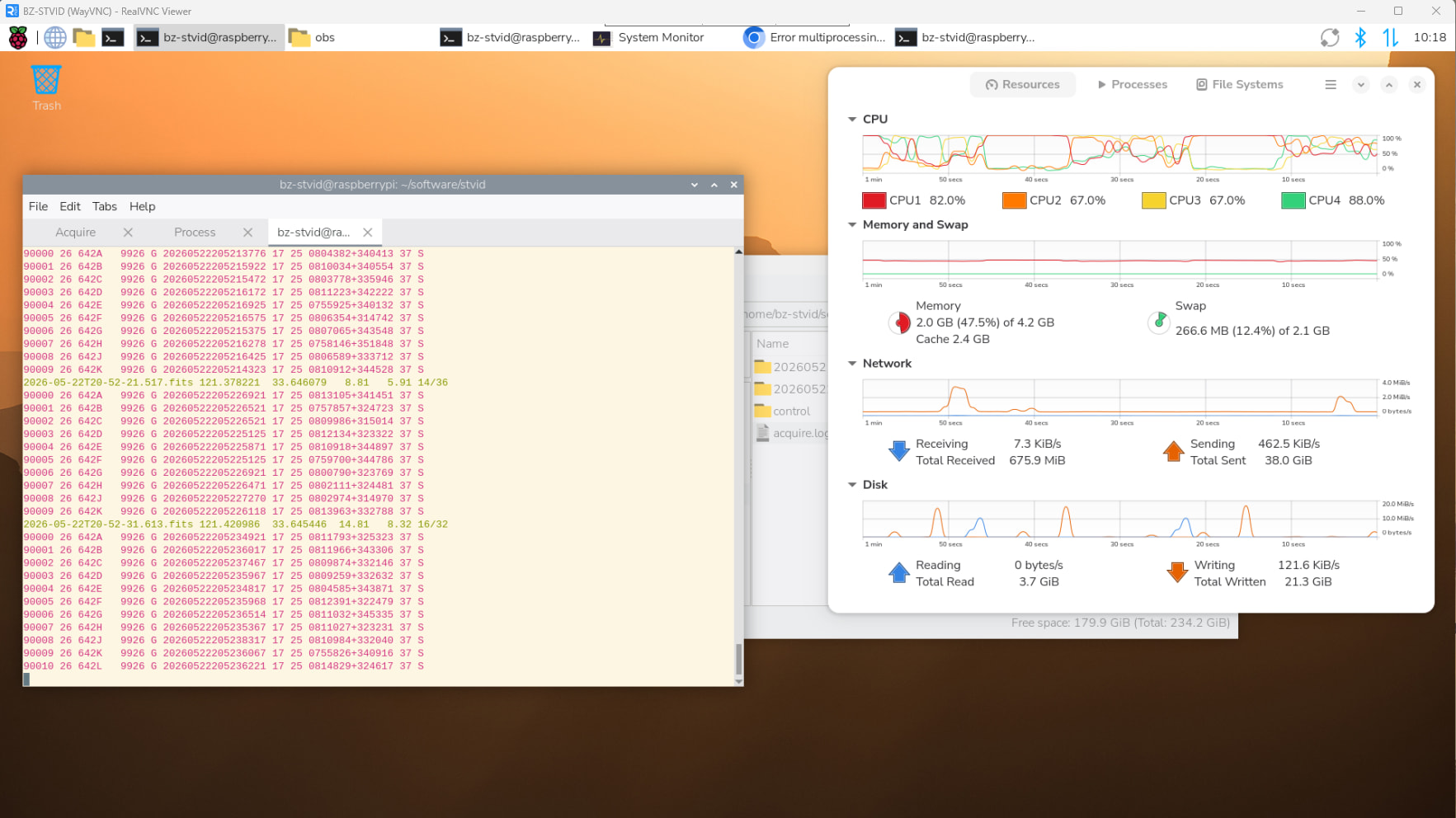
so, around 10 this morning I started process.py in the 3.11 venv and it’s running nicely

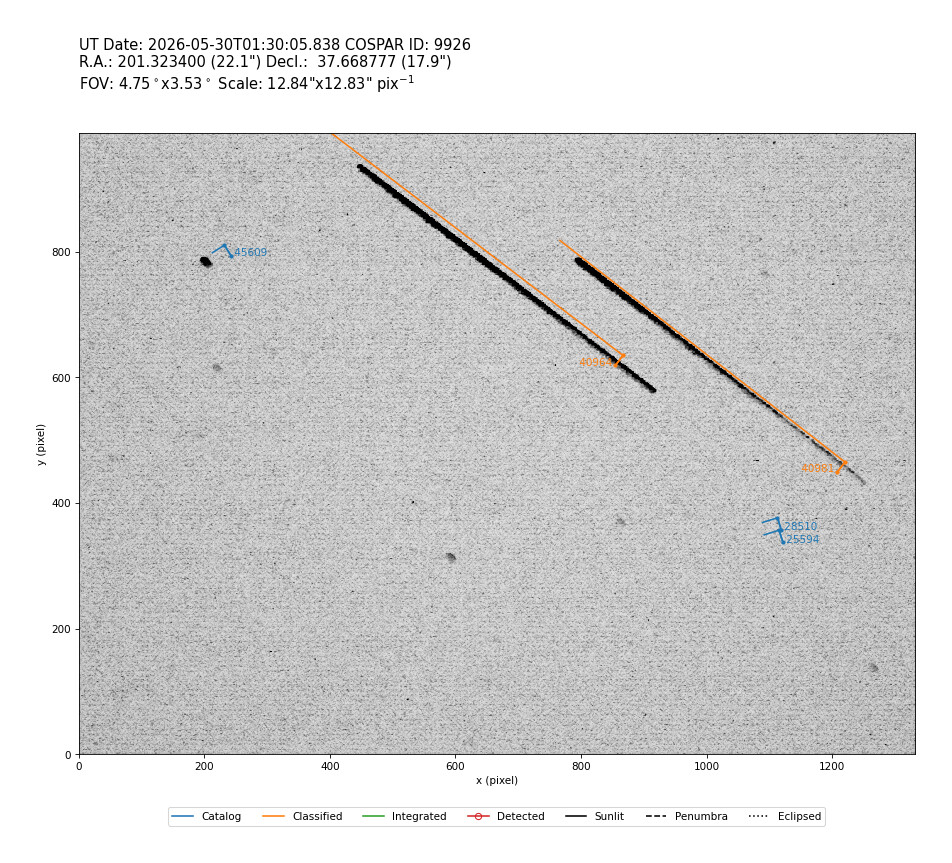
the colours of the lines have their own meaning but I changed the terminal colors because red and purple on a black background are not my favourites.

1 Like

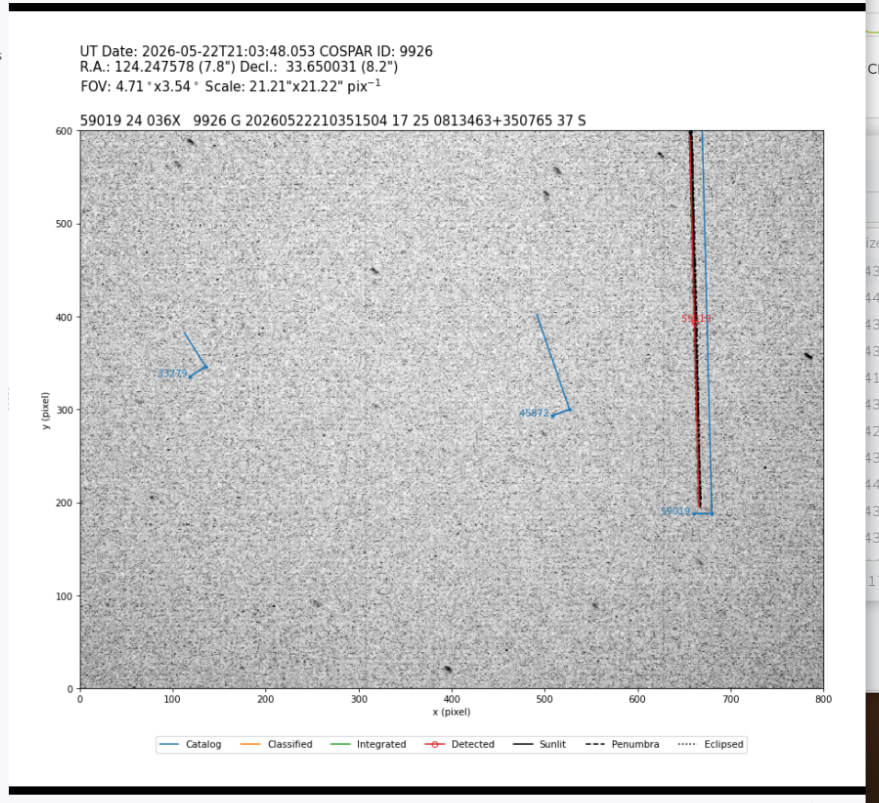
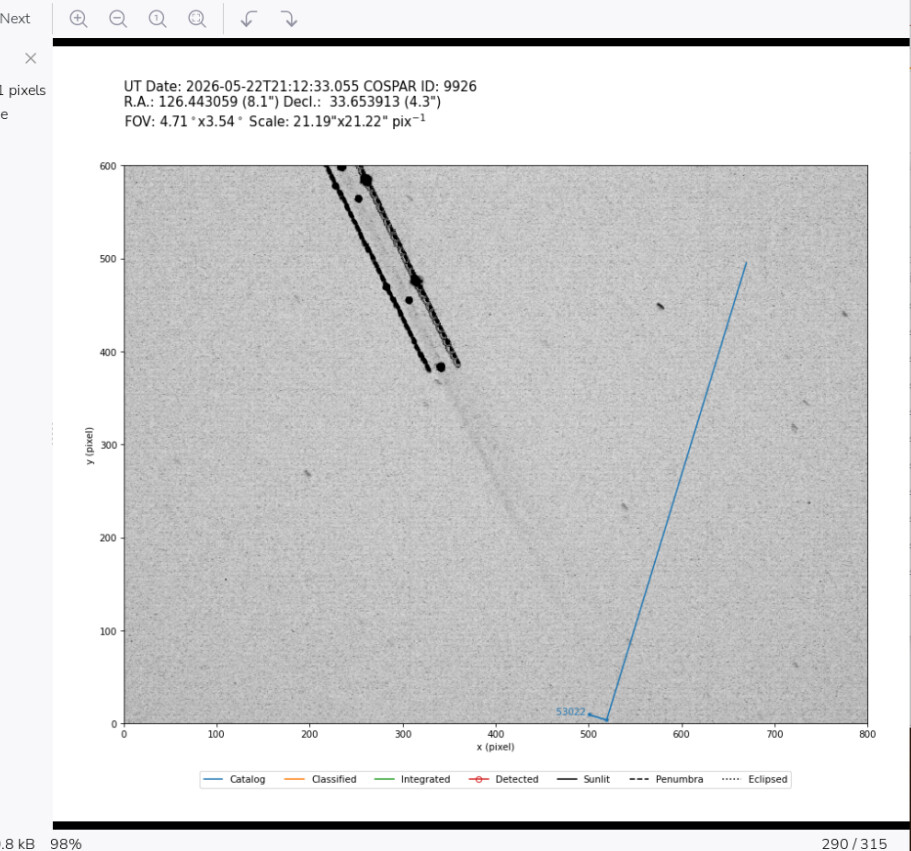
So, Houston, we have Starlink !

And some rideshare adapter:

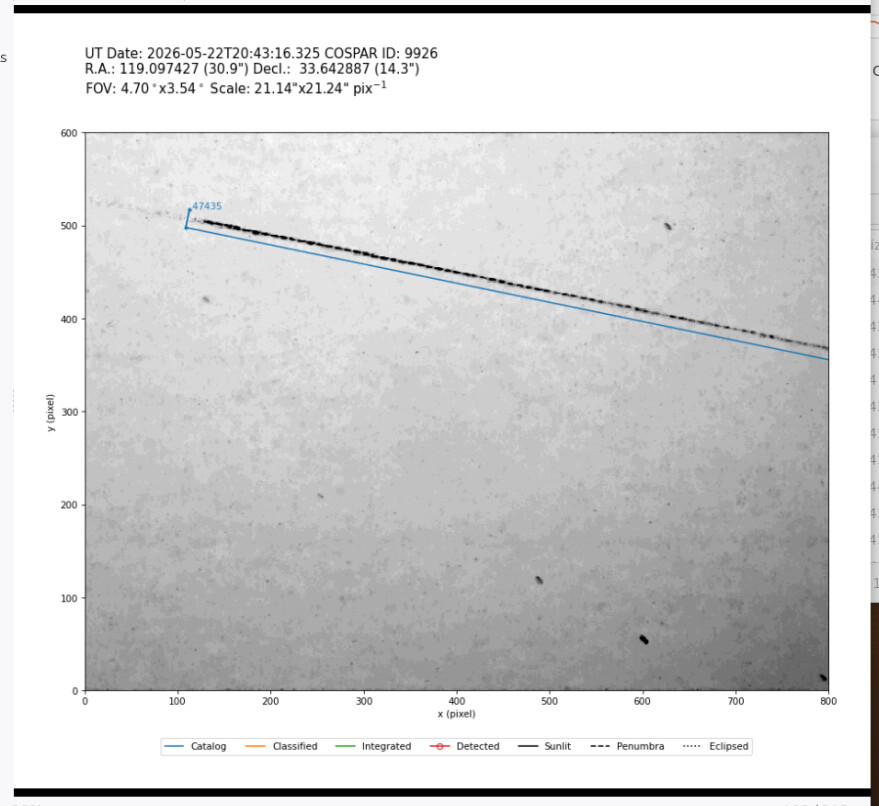
and an airplane too

2 Likes

ZUUUPERRRR … what time? 21:12 UTC ?

yes, times in UTC indeed


2 classified in one shot

3 Likes

Nice work Ben! The two classifieds you caught are a NOSS pair. The operational ones always fly in pairs. Your pixels are quite small so you can try to use 3x3 binning, either on the camera or otherwise in software. This will reduce the size of the datafiles, reduce trailing of stars and probably improves the signal to noise a bit. I always aim for about 30 arcsec/pixel and you’re at 12.83 arcsec/pixel with this setup.

3 Likes

Thanks!
software_bin = 2 is default in [ASI] and software_bin = 1 default in [CV2]
[PI] has no software_bin setting at the moment. Is it just a matter of adding that line to the [PI] settings in confuguration.ini ?

1 Like

You’re right, the Raspberry Pi data path doesn’t have this. I’d need to add this to the code.

2 Likes

Hey, nice to see stvid posts again! I gave up last time trying installing the system :sweat_smile:

I have questions that may or may not related with it. I’ve always love to track space objects with telescope for a while, from easy one like Geostationary satellites (which actually no need for tracking at all) to MEOs and LEOs.

I know the system is using static camera pointed to a region of the sky and indentify any satellites that pass on the FoV, but how does it actually know the position of the camera? Does it using plate solve system like most telescope to know where are they pointing? Also can it processs/identify satellites using image that I capture in the past? i.e I am capturing a patch of sky using a telescope and I somehow manage to capture a satellite streaking the image with known location, time and direction.

Looking forward to learn about this more! I like to track random known satellites in the catalogue, but this looks way cooler and practical.

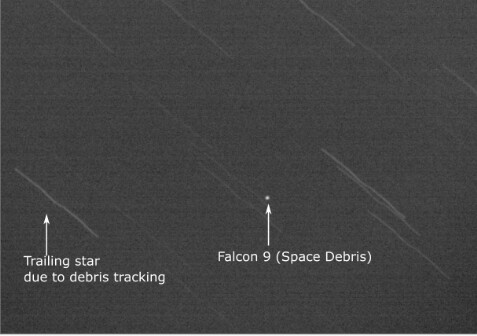
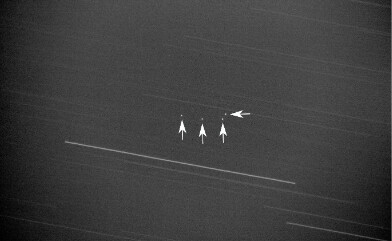
Here’s some example of the image that I capture (using cheap 70mm f/6 telescope and 3d printed mount):

.
.
.

I forgot which Falcon 9 upperstage it is, but its on eliptical MEO


Geostationary satellites, I know two of them are Nusantara Satu and Nusantara Tiga but I don’t know which one is which haha

3 Likes