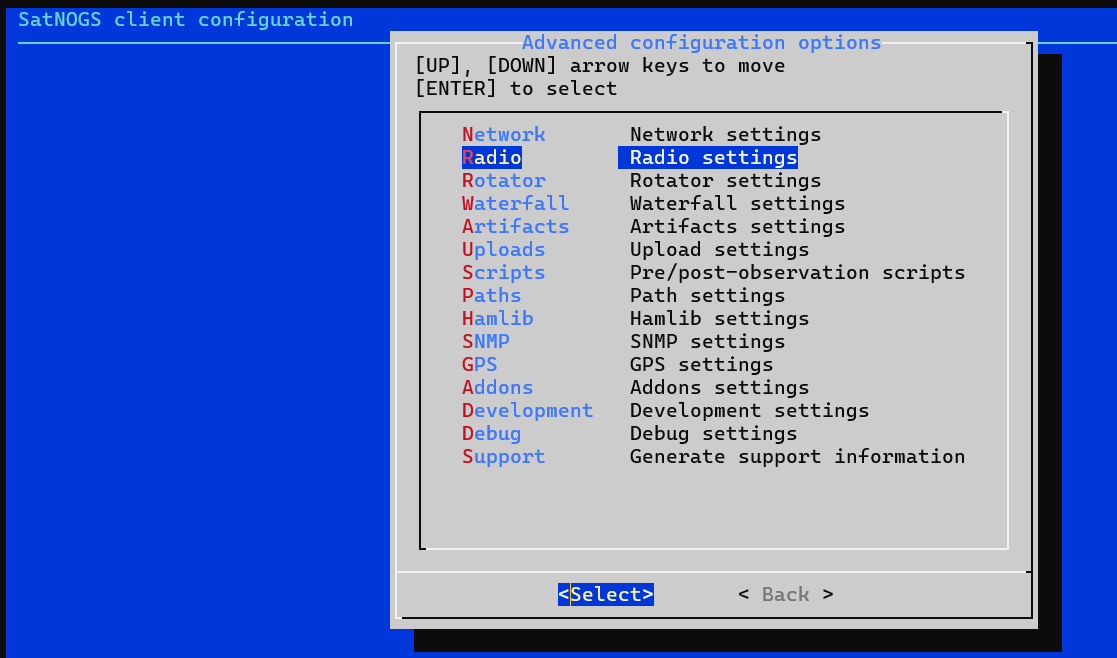
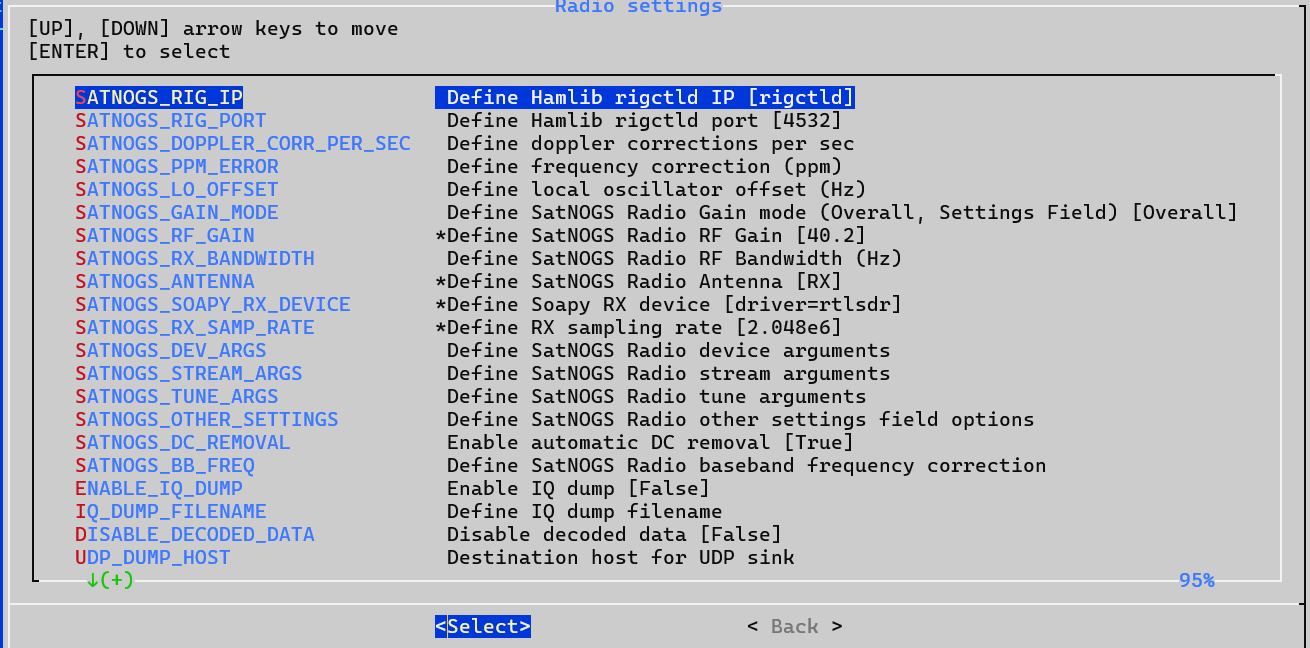
@ea5wa Thanks you for allowing me to connect remotely and I wish I had better news.
After many hours, this is the outcome.
Some info on the system:
lscpu
Architecture:                    aarch64
Byte Order:                      Little Endian
CPU(s):                          4
On-line CPU(s) list:             0-3
Thread(s) per core:              1
Core(s) per socket:              4
Socket(s):                       1
Vendor ID:                       ARM
Model:                           3
Model name:                      Cortex-A72
Stepping:                        r0p3
CPU max MHz:                     1500,0000
CPU min MHz:                     600,0000
BogoMIPS:                        108.00
L1d cache:                       128 KiB
L1i cache:                       192 KiB
L2 cache:                        1 MiB
Vulnerability Itlb multihit:     Not affected
Vulnerability L1tf:              Not affected
Vulnerability Mds:               Not affected
Vulnerability Meltdown:          Not affected
Vulnerability Mmio stale data:   Not affected
Vulnerability Retbleed:          Not affected
Vulnerability Spec store bypass: Vulnerable
Vulnerability Spectre v1:        Mitigation; __user pointer sanitization
Vulnerability Spectre v2:        Vulnerable
Vulnerability Srbds:             Not affected
Vulnerability Tsx async abort:   Not affected
Flags:                           fp asimd evtstrm crc32 cpuid
cat /etc/os-release
PRETTY_NAME="Raspbian GNU/Linux 11 (bullseye)"
NAME="Raspbian GNU/Linux"
VERSION_ID="11"
VERSION="11 (bullseye)"
VERSION_CODENAME=bullseye
ID=raspbian
ID_LIKE=debian
HOME_URL="http://www.raspbian.org/"
SUPPORT_URL="http://www.raspbian.org/RaspbianForums"
BUG_REPORT_URL="http://www.raspbian.org/RaspbianBugs"
docker -v
Docker version 29.1.0, build 360952c
free
               total        used        free      shared  buff/cache   available
Mem:           1,8Gi       152Mi        55Mi       1,0Mi       1,6Gi       1,6Gi
Swap:          924Mi          0B       924Mi
df -h
df -h
S.ficheros     Tama�o Usados  Disp Uso% Montado en
/dev/root        7,1G   6,7G   89M  99% /
devtmpfs         667M      0  667M   0% /dev
tmpfs            925M      0  925M   0% /dev/shm
tmpfs            370M   1,1M  369M   1% /run
tmpfs            5,0M   4,0K  5,0M   1% /run/lock
/dev/mmcblk0p1   253M    51M  202M  20% /boot
tmpfs            185M      0  185M   0% /run/user/1000
sudo hdparm --direct -t /dev/mmcblk0
/dev/mmcblk0:
 Timing O_DIRECT disk reads:   6 MB in  3.83 seconds =   1.57 MB/sec
Container install:
docker-compose -f satnogs-342.yml up -d
cat satnogs-342.yml
services:

  rigctld:
    container_name: satnogs-342-rigctld
    image: 'librespace/hamlib:4.5.4'
    user: '999'
    read_only: true
    environment:
      MODEL: '1'
    restart: 'unless-stopped'
    command: 'rigctld'

  satnogs_client:
    container_name: satnogs-342
    hostname: 'satnogs-342'
    image: 'librespace/satnogs-client:2.1'
    # image: 'librespace/satnogs-client:master-unstable'
    user: '500:500'
    read_only: true
    environment:
      SATNOGS_API_TOKEN: 'secret'
      SATNOGS_LOG_LEVEL: 'INFO'
      SATNOGS_SOAPY_RX_DEVICE: 'driver=rtlsdr,biastee=false'
      SATNOGS_PPM_ERROR: '0'
      SATNOGS_RF_GAIN: '43.9'
      SATNOGS_ANTENNA: 'RX'
      SATNOGS_RX_SAMP_RATE: '2.048e6'
      SATNOGS_STATION_ELEV: '50'
      SATNOGS_STATION_ID: '342'
      SATNOGS_STATION_LAT: '39.104'
      SATNOGS_STATION_LON: '-0.458'
      SATNOGS_RIG_IP: 'satnogs-342-rigctld'
      SATNOGS_RIG_PORT: '4532'
      GR_SATELLITES_ENABLED: 'true'
      GR_SATELLITES_APP: 'gr_satellites'
      GR_SATELLITES_KEEPLOGS: 'false'
      # GR_SATELLITES_ZMQ_PORT: '5555'
      UDP_DUMP_HOST: '127.0.0.1'
      UDP_DUMP_PORT: '50342'
    command: 'satnogs-client'
    device_cgroup_rules:
      - 'c 189:* rwm'
    devices:
      - '/dev/bus/usb'
    volumes:
      - type: 'tmpfs'
        target: '/tmp'
      - type: 'volume'
        source: 'satnogs-client'
        target: '/var/lib/satnogs-client'
      - type: 'volume'
        source: 'satyaml'
        target: '/usr/lib/python3/dist-packages/satellites/satyaml'
      - '/dev/bus/usb:/dev/bus/usb'
    restart: 'unless-stopped'

volumes:
  satnogs-client:
  satyaml:
Looking at this command and output you would think the docker containers are active
.
docker container list
CONTAINER ID   IMAGE                           COMMAND                  CREATED       STATUS                         PORTS     NAMES
ffcc589e4791   librespace/satnogs-client:2.1   "satnogs-client"         5 hours ago   Restarting (1) 6 seconds ago             satnogs-342
0ed48b21a12b   librespace/hamlib:4.5.4         "/docker-entrypoint.…"   5 hours ago   Up 5 hours                               satnogs-342-rigctld
But when I for example want to look at the SatNOGS-client logs, we get the following.
docker logs -f satnogs-342
IMPORTANT: PLEASE READ THIS FOR ADVICE ON HOW TO SOLVE THIS ISSUE!

Importing the numpy C-extensions failed. This error can happen for
many reasons, often due to issues with your setup or how NumPy was
installed.

We have compiled some common reasons and troubleshooting tips at:

    https://numpy.org/devdocs/user/troubleshooting-importerror.html

Please note and check the following:

  * The Python version is: Python3.11 from "/usr/bin/python3"
  * The NumPy version is: "1.26.4"

and make sure that they are the versions you expect.
Please carefully study the documentation linked above for further help.

Original error was: libopenblas.so.0: cannot open shared object file: No such file or directory


The above exception was the direct cause of the following exception:

Traceback (most recent call last):
  File "/usr/local/bin/satnogs-client", line 5, in <module>
    from satnogsclient import main
  File "/usr/local/lib/python3.11/dist-packages/satnogsclient/__init__.py", line 11, in <module>
    from satnogsclient.scheduler.tasks import status_listener
  File "/usr/local/lib/python3.11/dist-packages/satnogsclient/scheduler/tasks.py", line 15, in <module>
    from satnogsclient.observer.observer import Observer
  File "/usr/local/lib/python3.11/dist-packages/satnogsclient/observer/observer.py", line 17, in <module>
    from satnogsclient.artifacts import Artifacts
  File "/usr/local/lib/python3.11/dist-packages/satnogsclient/artifacts.py", line 5, in <module>
    import h5py
  File "/usr/local/lib/python3.11/dist-packages/h5py/__init__.py", line 33, in <module>
    from . import version
  File "/usr/local/lib/python3.11/dist-packages/h5py/version.py", line 17, in <module>
    import numpy
  File "/usr/local/lib/python3.11/dist-packages/numpy/__init__.py", line 135, in <module>
    raise ImportError(msg) from e
ImportError: Error importing numpy: you should not try to import numpy from
        its source directory; please exit the numpy source tree, and relaunch
        your python interpreter from there.
Traceback (most recent call last):
  File "/usr/local/lib/python3.11/dist-packages/numpy/core/__init__.py", line 24, in <module>
    from . import multiarray
  File "/usr/local/lib/python3.11/dist-packages/numpy/core/multiarray.py", line 10, in <module>
    from . import overrides
  File "/usr/local/lib/python3.11/dist-packages/numpy/core/overrides.py", line 8, in <module>
    from numpy.core._multiarray_umath import (
ImportError: libopenblas.so.0: cannot open shared object file: No such file or directory

During handling of the above exception, another exception occurred:

Traceback (most recent call last):
  File "/usr/local/lib/python3.11/dist-packages/numpy/__init__.py", line 130, in <module>
    from numpy.__config__ import show as show_config
  File "/usr/local/lib/python3.11/dist-packages/numpy/__config__.py", line 4, in <module>
    from numpy.core._multiarray_umath import (
  File "/usr/local/lib/python3.11/dist-packages/numpy/core/__init__.py", line 50, in <module>
    raise ImportError(msg)
ImportError:

IMPORTANT: PLEASE READ THIS FOR ADVICE ON HOW TO SOLVE THIS ISSUE!

Importing the numpy C-extensions failed. This error can happen for
many reasons, often due to issues with your setup or how NumPy was
installed.

We have compiled some common reasons and troubleshooting tips at:

    https://numpy.org/devdocs/user/troubleshooting-importerror.html

Please note and check the following:

  * The Python version is: Python3.11 from "/usr/bin/python3"
  * The NumPy version is: "1.26.4"

and make sure that they are the versions you expect.
Please carefully study the documentation linked above for further help.

Original error was: libopenblas.so.0: cannot open shared object file: No such file or directory


The above exception was the direct cause of the following exception:

Traceback (most recent call last):
  File "/usr/local/bin/satnogs-client", line 5, in <module>
    from satnogsclient import main
  File "/usr/local/lib/python3.11/dist-packages/satnogsclient/__init__.py", line 11, in <module>
    from satnogsclient.scheduler.tasks import status_listener
  File "/usr/local/lib/python3.11/dist-packages/satnogsclient/scheduler/tasks.py", line 15, in <module>
    from satnogsclient.observer.observer import Observer
  File "/usr/local/lib/python3.11/dist-packages/satnogsclient/observer/observer.py", line 17, in <module>
    from satnogsclient.artifacts import Artifacts
  File "/usr/local/lib/python3.11/dist-packages/satnogsclient/artifacts.py", line 5, in <module>
    import h5py
  File "/usr/local/lib/python3.11/dist-packages/h5py/__init__.py", line 33, in <module>
    from . import version
  File "/usr/local/lib/python3.11/dist-packages/h5py/version.py", line 17, in <module>
    import numpy
  File "/usr/local/lib/python3.11/dist-packages/numpy/__init__.py", line 135, in <module>
    raise ImportError(msg) from e
ImportError: Error importing numpy: you should not try to import numpy from
        its source directory; please exit the numpy source tree, and relaunch
        your python interpreter from there.
Apart from limited hardware resources, 8Gb sd-card, 2G internal memory and very slow SD-card I have no explanation for the fact the container doesn’t seem to work.
Maybe one of the developers can tell us what this error means.
Upfront, this system doesn’t seem capable of running the SatNOGS-client 2.1, very unresponsive, small SD-card, little memory
I am out of options.
Tag @fredy @kerel
Jan | PE0SAT