Request for advice: How to automate observations for a specific satellite (FOX-1C)?

Hi everyone,

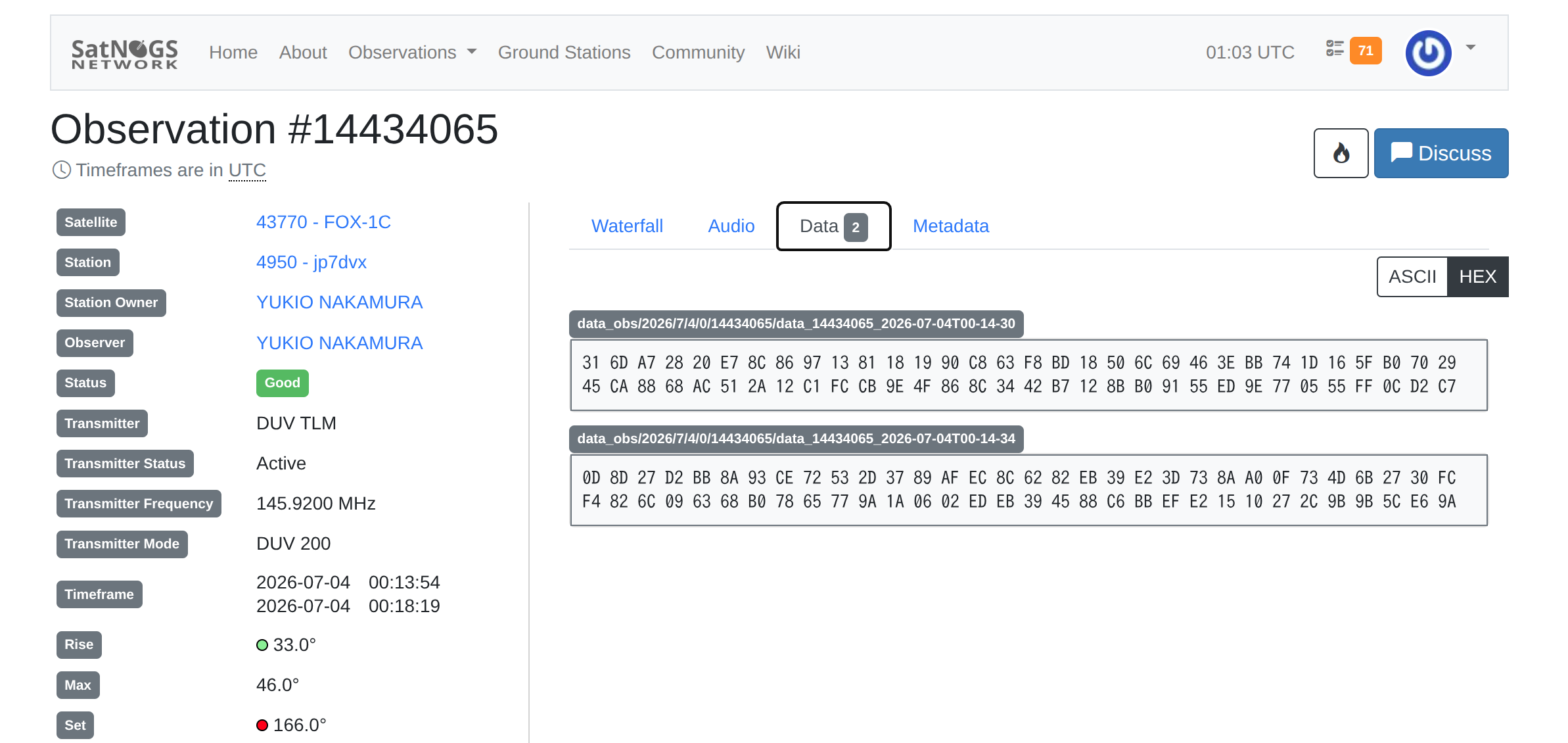
I am excited to share that I have successfully received a clear signal from FOX-1C (Observation #14434065) for the first time!

I would like to keep tracking this satellite, but managing the observations manually is becoming quite time-consuming. Could you please advise me on the best way to automate scheduling for a specific satellite like FOX-1C?

  • Is there a recommended way to prioritize a specific satellite in my station’s schedule?

  • Are there any existing scripts or tools that allow for automatic scheduling based on TLEs or pass predictions?

Any advice or pointers to documentation would be greatly appreciated. Thanks for your help!

Best regards, yukio

1 Like

Hi @jp7dvx

Unfrotunately auto-scheduling in Network hasn’t been implemented, however you can use this external tool: librespacefoundation / SatNOGS / satnogs-auto-scheduler · GitLab

1 Like

Hi fredy,

Thank you very much for the prompt and helpful response. I truly appreciate you pointing me toward the satnogs-auto-scheduler.

It looks like a very powerful tool. Although I am still a bit new to this kind of automation and it may take me some time to learn how to set it up, I am grateful for your guidance.

Best regards,yukio

Hi Yukio,
I am using the auto scheduler to schedule passes on my own station, I don’t schedule one single satellite, but for you it means you have to create a priorities_file with your satellite in it and use the -f and -P parameters.

Help output:
Automatically schedule observations on a SatNOGS station.

options:
-h, --help show this help message and exit
-s STATION, --station STATION
Ground station ID
-t STARTTIME, --starttime STARTTIME
Start time (YYYY-MM-DDTHH:MM:SS) [default: now + 10 minutes]
-d DURATION, --duration DURATION
Duration to schedule [hours; default: 1.0]
-o MAX_OBSERVATION_DURATION, --max-observation-duration MAX_OBSERVATION_DURATION
Max time for a single observation [minutes; default: 30]
-m MIN_CULMINATION, --min-culmination MIN_CULMINATION
Minimum culmination elevation [degrees; ground station default, minimum: 0, maximum: 90]
-r MIN_RISESET, --min-riseset MIN_RISESET
Minimum rise/set elevation [degrees; ground station default, minimum: 0, maximum: 90]
-z, --horizon Force rise/set elevation to 0 degrees (overrided -r).
-b START_AZIMUTH, --start-azimuth START_AZIMUTH
Start of the azimuth window to observe within. Window goes from startto stop azimuth in a clockwise direction. [degrees;
default: 0, maximum: 360]
-e STOP_AZIMUTH, --stop-azimuth STOP_AZIMUTH
End of the azimuth window to observe within. Window goes from start to stop azimuth in a clockwise direction. [degrees;
default: 360, maximum: 360]
-i [POINTING …], --pointing [POINTING …]
Constrain passes to antenna beam radius (half beamwidth) and pointing direction. Examples: antenna pointing straight up,
30 degree radius: ‘-i 30’, pointing south at horizon: ‘-i 30 180’, pointing west and 45 degrees up: ‘-i 30 270 45’.
[degrees; default: None]
-f, --only-priority Schedule only priority satellites (from -P file)
-w WAIT, --wait WAIT Wait time between consecutive observations (for setup and slewing) [seconds; default: 0, maximum: 3600]
-n, --dryrun Dry run (do not schedule passes)
-P PRIORITIES_FILE, --priorities PRIORITIES_FILE
File with transmitter priorities. Should have columns of the form |NORAD priority UUID| like |43017 0.9
KgazZMKEa74VnquqXLwAvD|. Priority is fractional, one transmitter per line, 1.0 gets maximum priority.
-M MIN_PRIORITY, --min-priority MIN_PRIORITY
Minimum priority. Only schedule passes with a priority higherthan this limit [default: 0.0, maximum: 1.0]
-T, --allow-testing Allow scheduling on stations which are in testing mode [default: False]
–flush-cache Clean the cache and download current transmitters, satellites and TLE.
-l [LOG_LEVEL], --log-level [LOG_LEVEL]
Set the logging output level. [‘CRITICAL’, ‘ERROR’, ‘WARNING’, ‘INFO’, ‘DEBUG’]
–version show program’s version number and exit
1 Like

Hi pe2bz,

Thank you so much for the detailed explanation and the help output! That is exactly what I needed.

It makes sense to use the priority file and the -f and -P parameters to target specific satellites. I will take some time to study these options and set up the file properly. I really appreciate you taking the time to share your configuration method.

Best regards,yukio

1 Like

I don’t see a satellite signal !! Only terrestrial noise in observation #14434065.

I imagine the entire AMSAT FOX-1 satellite series is currently “dead” (unfortunately)

4 Likes

Hi PU4ELT,

Thank you for your feedback.

I understand your point, and it is possible that I may have misidentified the signal. To ensure I am learning correctly, I have attached the data from my observation (Screenshot from 2026-07-04 10-03-11_2.png).

Could you please take a look and let me know if this appears to be terrestrial noise or if there is anything else I should be checking in my setup? I would appreciate your expert advice.

Best regards, yukio

2 Likes

This is simply a decoding false positive.

You can consult THIS to help you identify satellite signals in the waterfall display (obviously, without a satellite signal in the waterfall, any generated data is just garbage).

I’m definitely not a technician, but rest assured there are plenty of amazing guys here :grin:

3 Likes

Hi PU4ELT, thank you for the clarification. I understand now that this was a false positive. I will check the guide you linked and continue to observe carefully. I appreciate your patience with me!

1 Like

i recommend you to activate the artifact feature on your ground station

1 Like

Hi bali,

Thank you for the advice! I am very interested in the artifact feature.

I am currently running SatNOGS Client version 2.1.2. Could you please give me a quick pointer on where I should enable the artifact feature with this version? I’m looking through my settings now, but a little guidance on the exact path or menu would be very helpful.

I appreciate you guiding me toward making my station more effective.

Best regards, yukio

1 Like

how you install the satnogs-client, manual docker or automatic setup.sh ?

1 Like

Hi bali,

Thank you for your help. I ran sudo docker ps and confirmed that my station is indeed using the Docker-based installation.

Here is the output I got: librespace/satnogs-client:2.1.2 is running.

With this setup, could you please advise on the best way to enable the artifact feature? Should I be modifying the docker-compose.yml file, or is there another configuration I should be looking at?

Thank you for your continued support.

Best regards, yukio

1 Like

search file station.env or similiar where you save your SATNOGS_STATION_ID , if you found this file, then follow the instruction on tutorial before

1 Like

Hi bali,

I found the Artifact settings section in my satnogs file. It is currently set to false.

If I change satnogs_artifacts_enabled to true and set my satnogs_artifacts_api_token (using the same token as my satnogs_api_token), will that enable the feature correctly? Should I also be aware of any other settings I need to change in this file?

Thank you for your guidance!

Best regards, yukio

both are different token. you can request artifact api token at https://db.satnogs.org, create a new account there.

1 Like

Hi bali,

Thank you for pointing that out. I am going to head to bed now, so I will get a new API token from db.satnogs.org and work on the configuration tomorrow when I am fresh.

I really appreciate your kind support!

Best regards, yukio

1 Like

Hi bali,

Thank you so much for your guidance!

I have successfully obtained the new API token from db.satnogs.org, updated my configuration file, and applied the changes using ansible-playbook.

I also verified that the satnogs-client container is running correctly with docker ps. Everything is up and running now. I truly appreciate your patience and step-by-step help in fixing my configuration and troubleshooting the environment.

Best regards, yukio

Hi bali,

It was the Station ID and API token issue! I corrected the satnogs_station_id to 4950 and updated the API token, and everything is now running perfectly without any errors in the logs. My station is back online.

Thank you so much for your invaluable help in guiding me through these configurations and logs. I’ve learned a lot!

Best regards, yukio

2 Likes