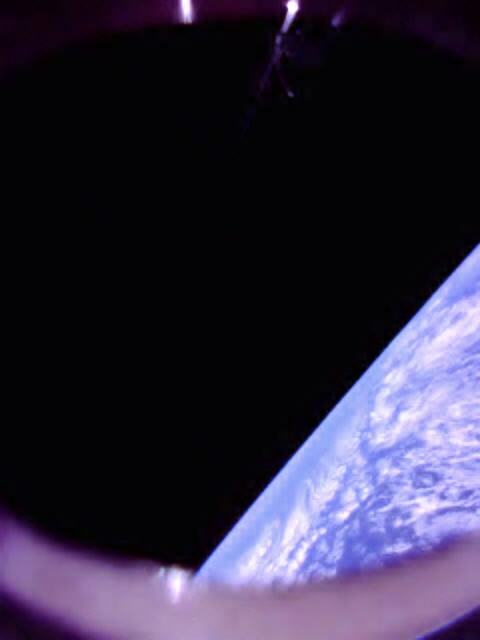
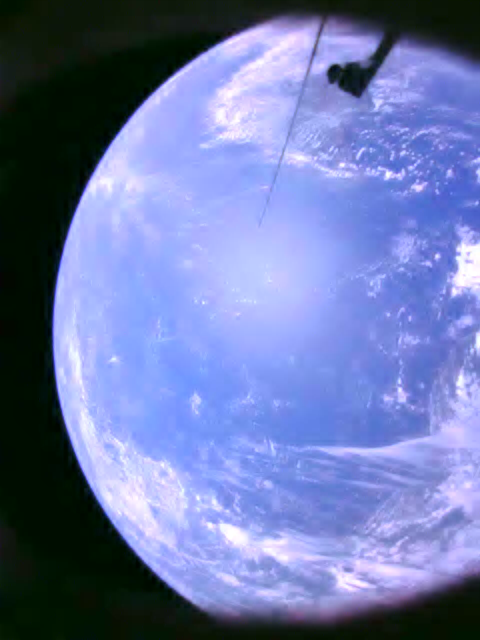
Hi all! I’m Vincent from the NUSHSat team, and we’re excited to share that we’ve been receiving good quality images from the satellite! Here are some of them:
Contratulations!
Is that on 436.200 @ 1200 baud, or some other freq & mode?
And is there a decoder, or do the downloaded frames just form a .JPG file, etc?
Thanks!
1 Like
Awesome ! congratulations 
1 Like
Thanks all!
Yes, all downlink (beacon and file) currently takes place via 436.2MHz @ 1200 baud.
The firmware has the capability to capture photos at specific scheduled times, and save them to an onboard filesystem for future downlinking. Currently, a command from our groundstation is required to initiate downlinking of files.
The image compression is a custom-developed algorithm based on NASA’s ICER, also used on the Mars rover missions.
One of our objectives is to enable any groundstation around the world to receive and decode images from our satellite. We plan to achieve this through a future upgrade of the onboard software, enabling scheduled file downlinks, although we don’t have a timeline to share yet.
We are also happy to share a packet decoder and image decompressor! It would be used in the future - with the addition of scheduled downlink capability - for anyone to decode images. Now, it could be used for groundstations near ours in Singapore with overlapping passes.
We would like to gather some suggestions of a data input format which would work best for all of you. We have had a few promising advice, one of which is to use the .kss output file from GetKISS. Any input is appreciated!
8 Likes
Many thanks for the additional info about your image downloads!
A .kss file is a good option. Possibly better options (so that we can test our entire RX chain) would be an I/Q recording and audio recordings of an image downlink. But we’ll certainly take anything you have just to get started.
As you are probably aware, we can currently decode & deframe the downlinks into HEX bytes (saved as TXT & KSS files), but that’s ‘it’.
[2025-08-03 05:25:44] ------
[2025-08-03 05:25:44]   000:  8c 87 da 00 08 aa 40 12 20 00 00 00 00 00 00 00  ......@. .......
[2025-08-03 05:25:44]   010:  40 00 00 00 00 00 00 f0 3f 00 00 00 00 00 00 00  @.......?.......
[2025-08-03 05:25:44]   020:  40 00 00 00 00 00 00 00 40 18 80 01 20 c5 80 8f  @.......@... ...
[2025-08-03 05:25:44]   030:  c4 03 28 f9 86 dd c3 03 30 d1 1f 3a 03 00 17 00  ..(.....0..:....
[2025-08-03 05:25:44]   040:  10 89 ca b7                                      ....
[2025-08-03 05:25:44] ------
So, full image sample files as I/Q, Audio, or KSS would be greatly appreciated as well as links to download your decoder software.
Thanks!
3 Likes
Currently, our groundstation produces neither I/Q recordings nor .kss files, as we are using a GomSpace AX100 radio complimentary to the one on the satellite. However, we do have logs from the groundstation AX100 radio with raw packet contents, and utilities to parse and decompress the resultant data to produce an image.
We would like to distribute a solution that’s as universal as possible, hence the favourable idea of accepting a .kss file. We have yet to develop this decoder as we’d like to first hear more from the community about what works best.
If accepting a .kss file is the format we ultimately settle on, we can produce a few sample .kss files with data converted from some of our downlinking passes for testing.
As for the image compression algorithm itself, the source code and a few samples are available in this repository on GitHub. I also include the raw compressed image data for one of the images: big3.icer.zip (21.4 KB). Note that we’re still in the progress of receiving the image, with some missing data - but there is only a slight quality penalty owing to the progressive nature of the compression algorithm.
5 Likes
As for the image compression algorithm itself, the source code and a few samples are available in this repository on GitHub.
… that repository appears to be a library for use with one’s own code.
Many thanks for any instructions specific to your project as to how we can go from a .KSS file (or any other data source) to the final image using this library.
1 Like
While I have not had any luck with the provided ‘big3.icer’ file in that ZIP download, for anyone who would like to get a step ahead and at least have the ICER utility running, here are the steps to install & test it:
**** Instructions Updated - see new post #372 below
1 Like
Well I feel silly. I never tested the ‘big3.icer’ file as black & white.
And it’s not a good image as the author stated, it’s a partial download.
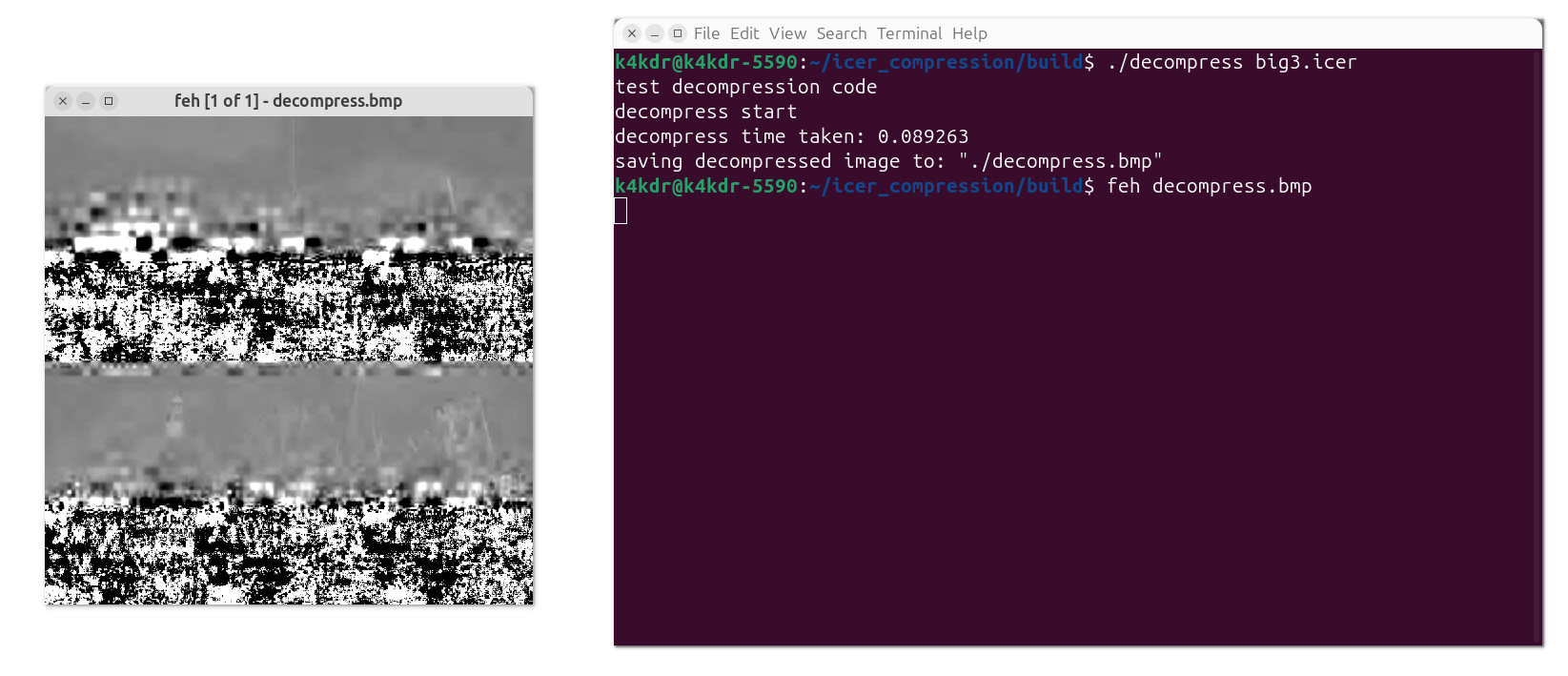
But here is how to use the NON-color version of the decompress utility to render the image:
1 Like
Hi, thank you for all your efforts!
This is in fact a color image, not grayscale, which is why the grayscale decoder produces garbage. Missing/corrupted data does not lead to such artifacts (view README.md for some example images demonstrating this).
However, some parameters for configuring the decoder are not included within the image itself and need to be manually set. For the examples provided in the repository, these parameters are hardcoded, and must be modified to correctly reflect the configuration of the encoder.
For that image, it is encoded with the parameters:
- 4 stages
- 1 segment
You’ll need to amend ./example/src/example_decode_color.c L49 to
const int segments = 1; // instead of 10
Ensure to recompile the project after making the amendment.
Sorry for the inconvenience and unconventional methods required.
I included the GitHub repository as a reference to our implementation of the compression algorithm, and had not intended it to be used by others in the long term. We will instead develop a utility which accepts raw packet data and produces an image.
2 Likes
Thank you so much for the update! This community is very accustomed to working with custom software, so it is not a burden. If a new utility is developed, that will be great, too!
I am afraid that I get an error when attempting to decompress as color after making that source code change and re-compiling:

… am I perhaps not using the utility correctly?
Apologies, the examples were intended to demonstrate implementations of the library and not general usage as a utility, hence many values are hardcoded. The color decompression example has the input filename hardcoded and hence will fault if that’s not present.
We can share a more general decompression utility. Replace the complete contents of ./example/src/example_decode_color.c with example_decode_color.c.zip (1.9 KB).
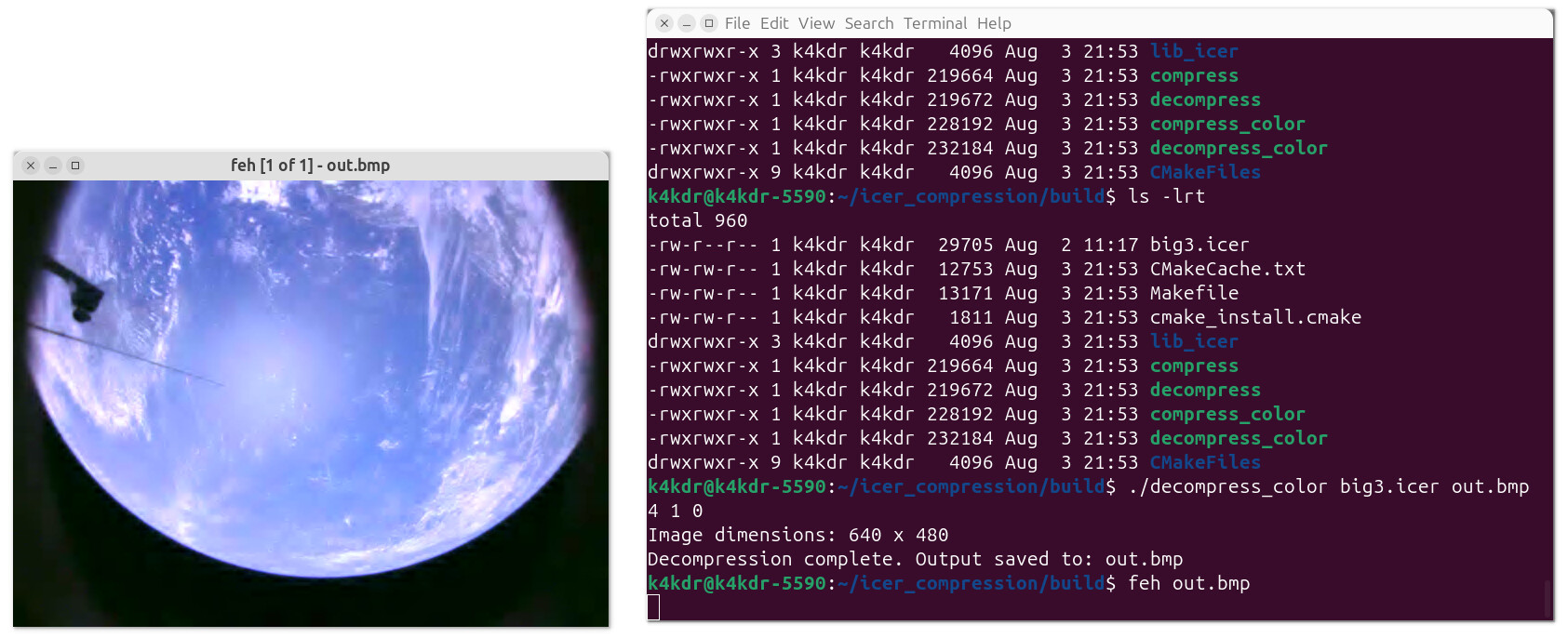
The utility provides a more complete and familiar command line interface. For example, to decode big3.icer to produce the decompressed image out.bmp, you can run
./decompress_color big3.icer out.bmp 4 1 0
1 Like
Wow! Now THAT is a picture!! Thank you so much for walking me through adjusting that utility to work with your data files. You might consider a Fork of that repository but adjusted w/ the new source file (so that people only need to clone & build it).
Best of luck with your mission!
3 Likes
Here are new build & test instructions thanks to all the help you can see above:
1: cd ~     (move to HOME directory)

2: sudo apt-get install feh   (IF not already installed -- image viewer to use later)

3: git clone https://github.com/TheRealOrange/icer_compression.git

4: cd icer_compression/

5:  replace "./example/src/example_decode_color.c" with the file of the same name from https://community.libre.space/uploads/short-url/4mWEDLDNp4MinZ9f8e3egxYRGhV.zip

6: mkdir build

7: cd build

8: cmake ..

9: make

10:  download & extract the test file 'big3.icer' from https://community.libre.space/uploads/short-url/pM7UXaQ5o4ahMIOpNjSOQB8NuMf.zip

11:  place the big3.icer file into your icer_compression/build directory

12:  decompress the test file with:   ./decompress_color big3.icer out.bmp 4 1 0

13:  view the resulting image file:   feh out.bmp
1 Like
Great to see you’ve had success! Always great to share our success with the community
We intend to develop and distribute a utility which accepts .kss files or, as @EU1SAT suggested, integrates with SatsDecoder.
The examples included within the repository, and the one I shared above, is designed for advanced use cases, debugging and our internal use. Hence, we do not intend to provide a fully-featured decode example with the library itself.
3 Likes
I’ve moved the last messages about NUSHSat1 to a new thread, for better visibility and to be more organized. @vinkwok feel free to change the topic title if necessary.
4 Likes
We have decided to develop and include a more flexible encode/decode example in the repository for everyone’s convenience in the interim!
After updating your local copy of the repository, a icer_util binary will be built (following the same steps).
Run with the --help flag to see usage instructions:
./icer_util --help
usage: ./icer_util <operation> <input> <output> [options]

operations:
  compress    Compress an image file
  decompress  Decompress a compressed file

options:
  -s, --stages <n>      Number of wavelet decomposition stages (default: 4)
  -f, --filter <type>   Filter type: A, B, C, D, E, F, Q (default: A)
  -g, --segments <n>    Number of error containment segments (default: 6)
  -c, --color           Use color mode (YUV)
  -G, --grayscale       Use grayscale mode

compression-only options:
  -t, --size <size>     Target compressed size in bytes (default: lossless)

others:
  --help                Show this help message

You must specify either --color or --grayscale for decompression operations
  If not using default compression parameters, parameters (stages, filter, segments) must be specified for decompression
4 Likes
Thank you for the update!
Is it still necessary to manually replace the ./example/src/example_decode_color.c file?
Nope! We’ve added a new target intended to function as a general-purpose utility.
The more specific decode example can remain as-is, you can reset any changes you’ve made locally.
1 Like
Got no decodes from NUSHSat1 on the 0416utc pass over the Eastern U.S. just now. On replay, it turned out to be 2400 baud.
Have you made a baud rate change or have I just forgotten how to use my software?
Thanks!
2 Likes