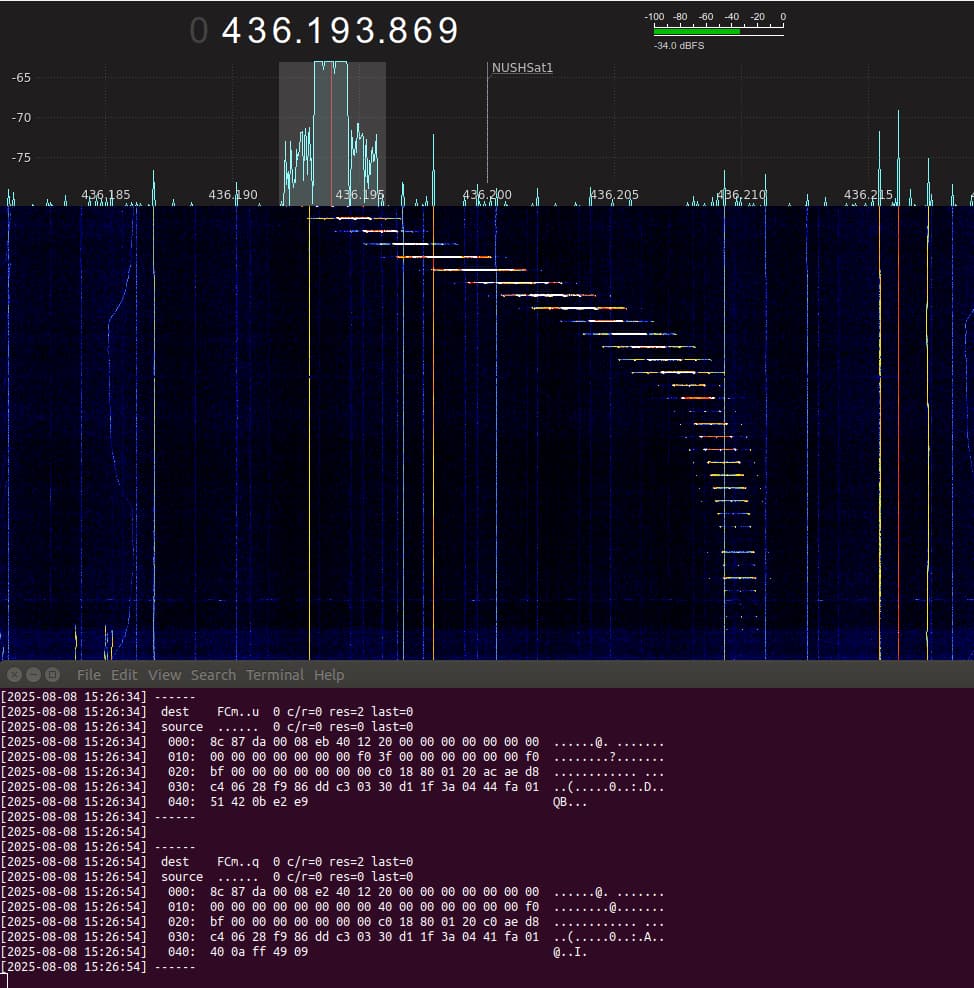
Sorry, your guess is accurate! Over the passes yesterday, we made a configuration update to the radio, testing out increased datarates. We have not yet updated the community with this information as we weren’t certain of the change and wanted to first ascertain running a higher baud was advantageous.
As of now, the downlink datarate is set to 2400 bps.
However, you should run the icer_util binary instead, as shown in my example above, as that is the general purpose utility intended to offer flexible encoding and decoding operations via a command line interface.
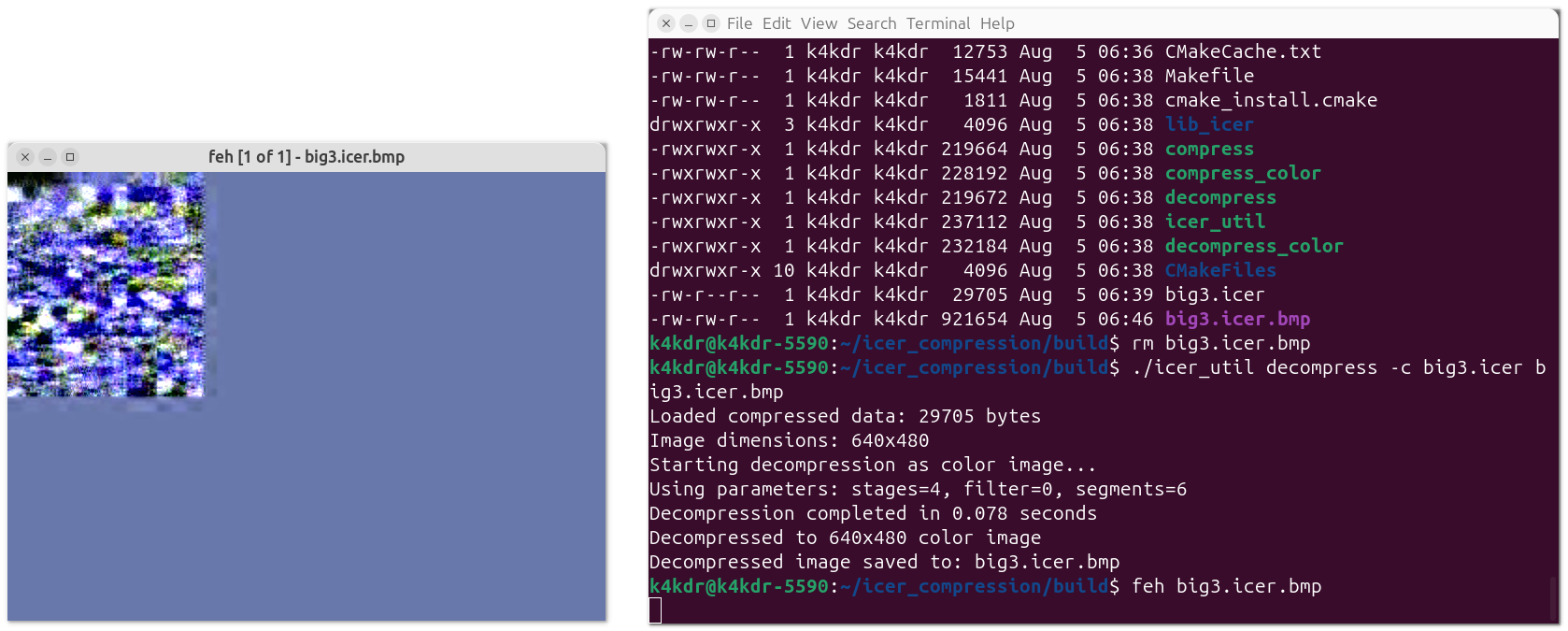
Loaded compressed data: 29705 bytes
Image dimensions: 640x480
Starting decompression as color image...
Using parameters: stages=4, filter=0, segments=6
Decompression completed in 0.050 seconds
Decompressed to 640x480 color image
Decompressed image saved to: big3.icer.bmp
Hi, you can find the compression parameters in one of my previous posts:
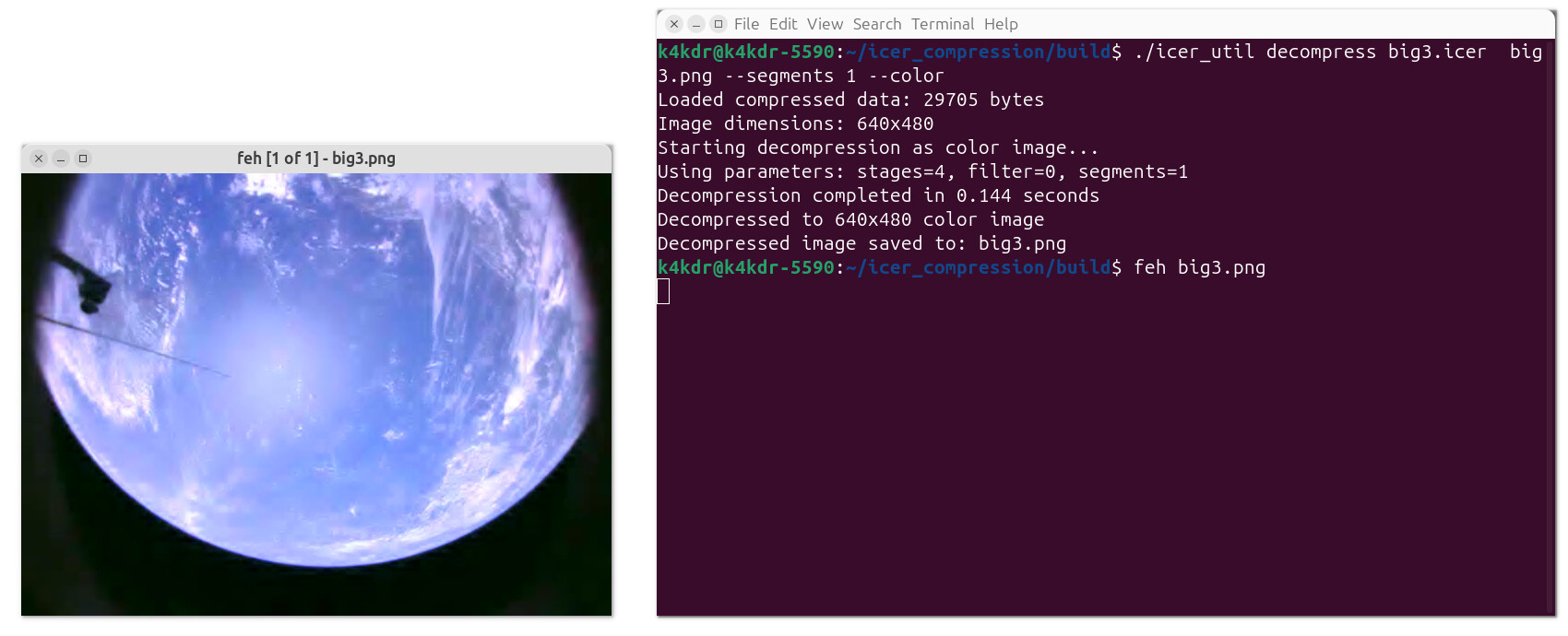
So, the --segments 1 flag must be supplied to override the default. In this case, the stages parameter does not need to be explicitly supplied as the default is also 4, but there’s no harm including it as well.
… and if you do eventually add the ability to schedule image downlinks world-wide, thanks in advance if you include the Eastern U.S. This morning’s pass presented a very strong signal even using an omni antenna!
The packets do indeed appear very strong, even in the presence of terrestrial interference.
I’m interested in your receiving setup, what antenna are you using, and what’s the noise floor typically like at your location?
Also, did you observe any change in the success rate of decoding packets, as compared to previously at 1200 baud?
On the topic of scheduled downlinks, we will definitely take note to schedule downlinks around your location! We can discuss more on that in the future
Thanks in advance for being included in your image schedule!
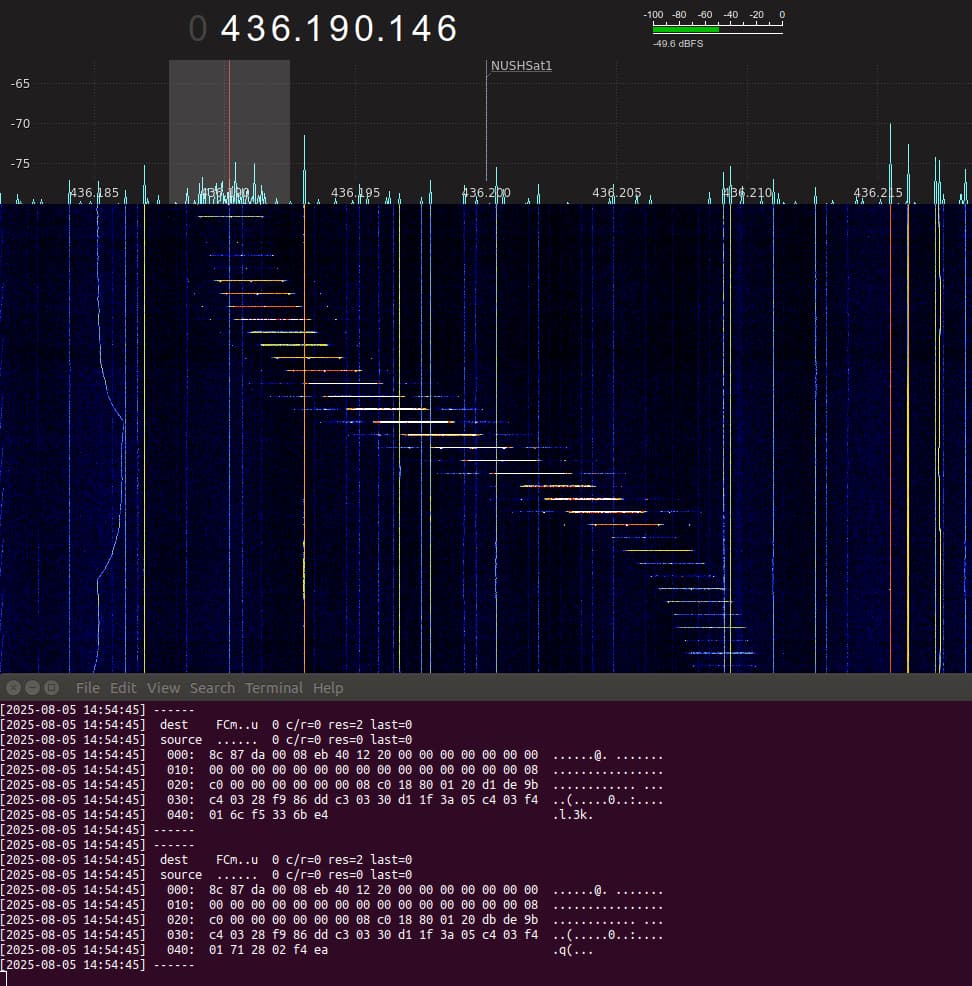
I have a good amount of locally-generated noise as you can see; probably more than some people and less than others. I still get decodes here & there when signals have enough SNR.
I use a 2.5-turn helical onmi (RHCP) antenna sized for the 400 MHz band with a wide-band LNA right there at the antenna.
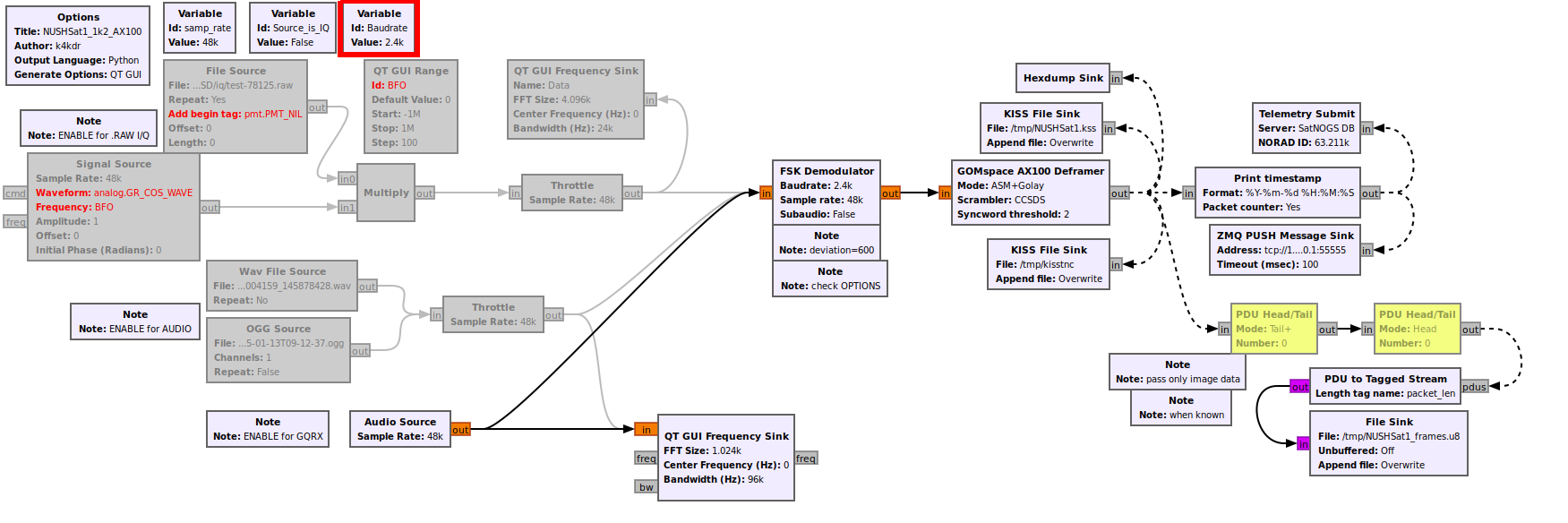
15m of LMR-400 feeds various SDRs; today it was the Airspy-R2. Audio output from GQRX feeds a GNU-Radio/gr-satellites flowgraph, so changing baud rate was easy to do. However, going from 1200 to 2400, I also removed the 600 Hz deviation setting in the FSK block and took a guess that 2400 might be better (while I’m sure that is not the correct value - it worked). With signals this strong, 2400 decoded just as well as 1200 did.
Note that in GQRX, as always, I increased the size of the RF passband to visually be a hair wider than the observed packet and also increased the audio output bandwidth from 2.5k to 5.0k. Here is that flowgraph which outputs to the SatNogs DB as well as various apps such as Direwolf to give me my preferred visual display of decodes here on the screen. I also have it ready to strip the header & checksum bytes from your packets to save image downloads to a binary file. I hope that helps!