I have no iq file, but an already FM demodulated 48 kHz mono 16 bits .wav file.
3 Likes
thank you
silversat_receive2.grc.zip (1.9 KB)
2 Likes
2 Likes
Yes, 48 kHz after FM demod. I’ve used Gqrx.
1 Like
It outputs just a black image.
Thanks so much for posting links to the necessary GRC and other utilities!
Since I only received a modest number of frames w/ sufficient SNR on the 12-Jan-2026 SilverSat pass over the Eastern U.S., my decoded image is not much to look at. But, I’m extremely pleased to participate and be able to show anything at all!

Someone please check for mistakes on my write up of a basic start-to-finish how-to, but these multi-step projects can really be difficult without a list of steps:
-RX SSDV frames from SilverSat; in addition to I/Q recording (in case it’s needed), record AUDIO file from SDR software (suitable for 9k6 baud, so use audio output bandwidth = 15k or greater {in GQRX, 17k is appropriate).

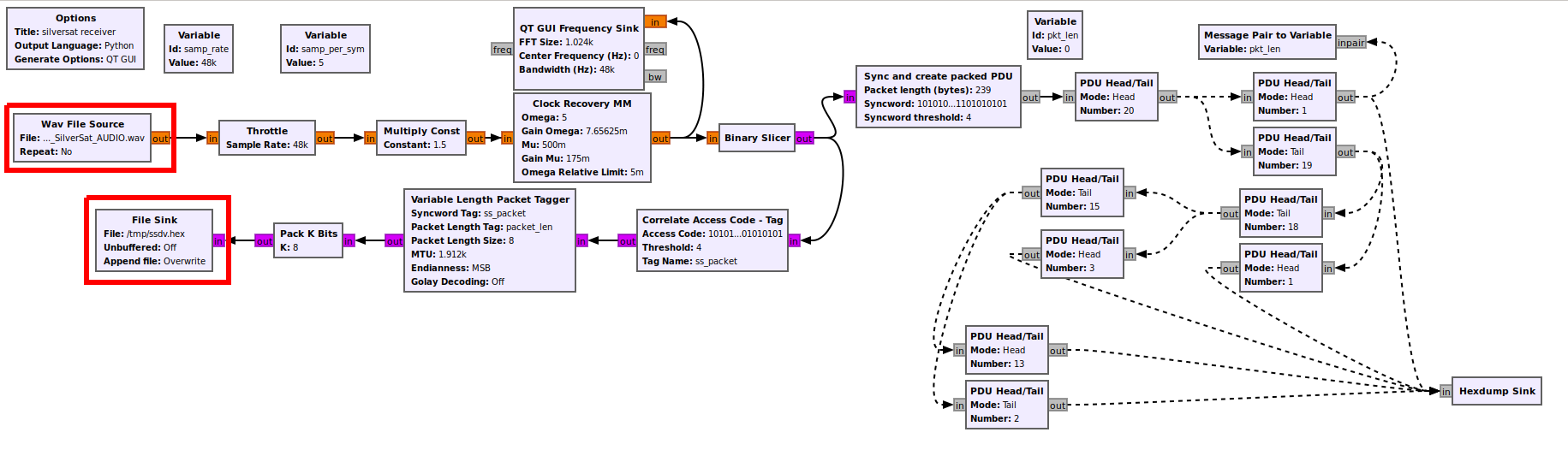
-Download silversat_receive2.grc.zip from https://community.libre.space/uploads/short-url/eiMRpHBpLtPpMuBqIT3tDiTytHp.zip … expand & open in GNU Radio

-set SOURCE as your AUDIO file & confirm location of File Sink for output file ‘ssdv.hex’
-Download il2p_parser.py  from https://raw.githubusercontent.com/silver-sat/Radio_Software/refs/heads/main/gnuradio/il2p_parser.py

-process your ssdv.hex as follows:   python3 il2p_parser.py -i ssdv.hex -o ssdv.il2p   (install any missing python modules as needed)

-Download & compile (per instructions on page) SSDV app from https://github.com/fsphil/ssdv  (i.e., cd~  /  git clone https://github.com/fsphil/ssdv.git   / cd ssdv  / make)

-add ~/ssdv to PATH if you wish

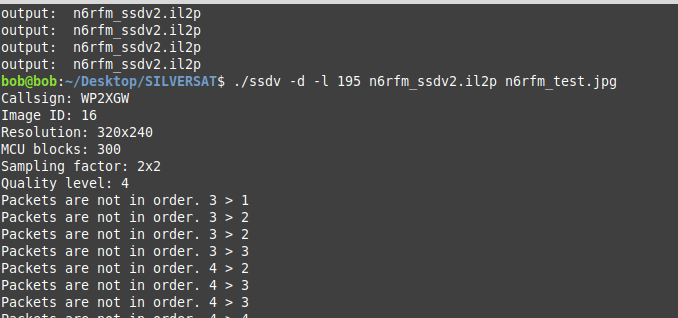
-decode image:   ssdv -d -l 195 ssdv.il2p 2026-01-12_SilverSat.jpg   (use output JPG file name of your choice)

-view JPG image!!!
6 Likes
Thank You!!
1 Like
The satellite reset over the holiday. As part of its boot-up, it takes a picture to test out the payload board. The SSDV mode transmits down the last picture taken, which should be this test picture. Its entirely possible the camera was pointed away from Earth when this was taken, and I suspect that’s why we’re seeing an all-black image. The satellite was scheduled to take another picture earlier today, at 1/13/2026 00:48:50, and I look forward to seeing how that one comes out.
4 Likes
By the way, each frame in the picture is numbered. If multiple stations each receive partial images, it should be possible to combine the received frames from these stations and reconstruct the entire image.
3 Likes
Your steps making use of il2p_parser.py. Its function is included in the block il2p_rs_and_descramble_crc which is included in my flowgraph.
The steps however are basically the same, also the outputted image.
2 Likes
Thanks to @davecopela , to Daniel @dl7ndr and to Scott @K4KDR for lots more help sorting out an earlier version of the SSDV executable lurking on my system which did not work.
We get a black picture from space! Looking forward to the next activation!
Good hunting all,
Bob
N6RFM

4 Likes
By the way, Direwolf (since version 1.7) is also capable of decoding (and encoding) IL2P.
Feeding Direwolf my record shows packets like this:
U frame UI: p/f=1, No layer 3 protocol implemented., length = 211
dest WP2XGW 1 c/r=0 res=3 last=0
source WP2XGW 0 c/r=1 res=3 last=1
000: ae a0 64 b0 8e ae 62 ae a0 64 b0 8e ae e1 13 f0 ..d…b..d…
010: 55 67 de eb 79 6c 16 00 03 14 0f 00 02 00 83 80 Ug..yl…
020: 3f f3 fa 28 a2 80 0a 28 a2 80 0a 28 a2 80 0a 28 ?..(…(…(…(
030: a2 80 0a 28 a2 80 0a 28 a2 80 0a 28 a2 80 0a 28 …(…(…(…(
040: a2 80 0a 28 a2 80 0a 28 a2 80 0a 28 a2 80 0a 28 …(…(…(…(
050: a2 80 0a 28 a2 80 0a 28 a2 80 0a 28 a2 80 0a 28 …(…(…(…(
060: a2 80 0a 28 a2 80 0a 28 a2 80 0a 28 a2 80 0a 28 …(…(…(…(
070: a2 80 0a 28 a2 80 0a 28 a2 80 0a 28 a2 80 0a 28 …(…(…(…(
080: a2 80 0a 28 a2 80 0a 28 a2 80 0a 28 a2 80 0a 28 …(…(…(…(
090: a2 80 0a 28 a2 80 0a 28 a2 80 0a 28 a2 80 0a 28 …(…(…(…(
0a0: a2 80 0a 28 a2 80 0a 28 a2 80 0a 28 a2 80 0a 28 …(…(…(…(
0b0: a2 80 0a 28 a2 80 0a 28 a2 80 0a 28 a2 80 0a 28 …(…(…(…(
0c0: a2 80 0a 28 a2 80 0a 28 a2 80 0a 28 a2 80 0a 72 …(…(…(…r
0d0: b2 e1 01 …
Where the first line (000, in bold) is the streamlined AX.25 header.
After that the SSDV payload starts (with 0x55 as its sync byte) according to its packet format.
7 Likes
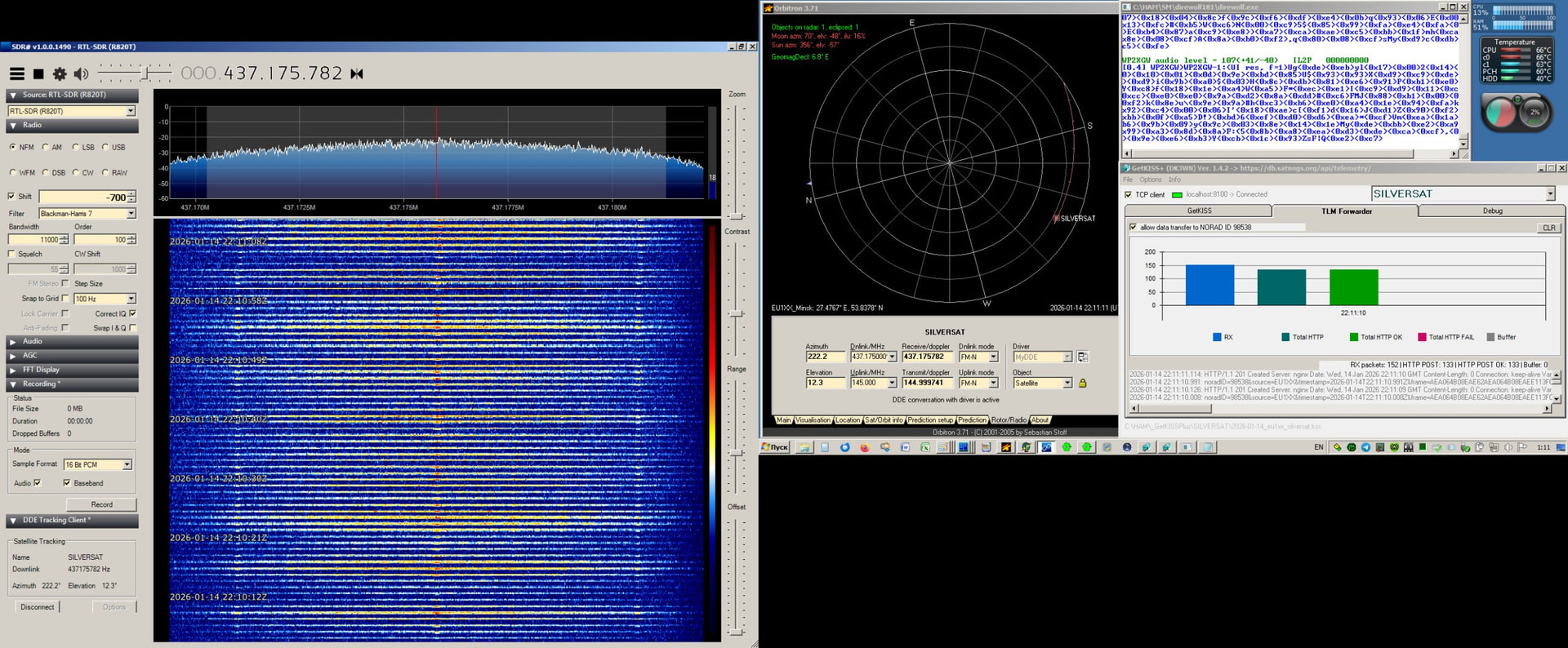
SILVERSAT SSDV Transmission.
Max. Elev. 12° .
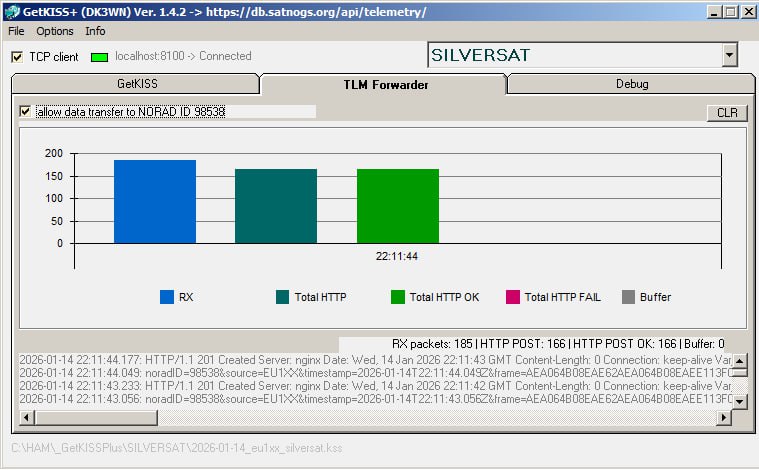
166 Frames uploaded
2026-01-14_220754Z_eu1sat_silversat.zip (25.0 KB)
5 Likes
Great news ref. Vlad’s decode above… one of his several outputs was a CSV file logging all the packet decodes. After combining the ASCII log of those decodes into a single file & then running it thru ‘xxd’ to create a proper binary HEX file, SSDV gave us his image! And it’s not all black!!
Congrats!

8 Likes
very interesting information. superbzz 
./direwolf --help
Dire Wolf DEVELOPMENT version 1.9 C (Jan 15 2026)
Includes optional support for:  cm108-ptt dns-sd
./direwolf: unrecognized option '--help'

Dire Wolf version 1.9

Usage: direwolf [options] [ - | stdin | UDP:nnnn ]
Options:
    -c fname       Configuration file name.
    -l logdir      Directory name for daily log files.  Use . for current.
    -L logname     Generate single log file with fixed name.
    -r n           Audio sample rate, per sec.
    -n n           Number of audio channels, 1 or 2.
    -b n           Bits per audio sample, 8 or 16.
    -B n           Data rate in bits/sec for channel 0.  Standard values are 300, 1200, 2400, 4800, 9600.
                     300 bps defaults to AFSK tones of 1600 & 1800.
                     1200 bps uses AFSK tones of 1200 & 2200.
                     2400 bps uses QPSK based on V.26 standard.
                     4800 bps uses 8PSK based on V.27 standard.
                     9600 bps and up uses K9NG/G3RUH standard.
                     AIS for ship Automatic Identification System.
                     EAS for Emergency Alert System (EAS) Specific Area Message Encoding (SAME).
    -g             Force G3RUH modem regardless of speed.
    -j             2400 bps QPSK compatible with direwolf <= 1.5.
    -J             2400 bps QPSK compatible with MFJ-2400.
    -P xxx         Modem Profiles.
    -A             Convert AIS positions to APRS Object Reports.
    -D n           Divide audio sample rate by n for channel 0.
    -X n           1 to enable FX.25 transmit.  16, 32, 64 for specific number of check bytes.
    -I n           Enable IL2P transmit.  n=1 is recommended.  0 uses weaker FEC.
    -i n           Enable IL2P transmit, inverted polarity.  n=1 is recommended.  0 uses weaker FEC.
    -d             Debug options:
       a             a = AGWPE network protocol client.
       k             k = KISS serial port or pseudo terminal client.
       n             n = KISS network client.
       u             u = Display non-ASCII text in hexadecimal.
       p             p = dump Packets in hexadecimal.
       g             g = GPS interface.
       w             w = Waypoints for Position or Object Reports.
       t             t = Tracker beacon.
       o             o = output controls such as PTT and DCD.
       i             i = IGate.
       m             m = Monitor heard station list.
       f             f = packet Filtering.
       c             c = Connected mode data link state machine.
       s             s = Print statistics when link ends.
       x             x = FX.25 increase verbose level.
       2             2 = IL2P.
       d             d = APRStt (DTMF to APRS object translation).
       q             q = data link state machine Queue.
    -q             Quiet (suppress output) options:
       h             h = Heard line with the audio level.
       d             d = Description of APRS packets.
       x             x = Silence FX.25 information.
    -t n           Text colors.  0=disabled. 1=default.  2,3,4 alternatives.
                         5=keep current background color.  6=black background.
                     Use 9 to test compatibility with your terminal.
    -a n           Audio statistics interval in seconds.  0 to disable.
    -p             Enable pseudo terminal for KISS protocol.
    -x             Send Xmit level calibration tones.
       a             a = Alternating mark/space tones.
       m             m = Steady mark tone (e.g. 1200Hz).
       s             s = Steady space tone (e.g. 2200Hz).
       p             p = Silence (Set PTT only).
        chan          Optionally add a number to specify radio channel.
    -u             Print UTF-8 test string and exit.
    -S             Print symbol tables and exit.
    -T fmt         Time stamp format for sent and received frames.
    -e ber         Receive Bit Error Rate (BER), e.g. 1e-5

After any options, there can be a single command line argument for the source of
received audio.  This can override the audio input specified in the configuration file.

Documentation can be found in /usr/local/share/doc/direwolf
or online at https://github.com/wb2osz/direwolf/tree/master/doc
additional topics: https://github.com/wb2osz/direwolf-doc
Hi Scott,
Could you do me a favour and put my 215 packets through your processing?
2026-01-14T22:06 SilverSat - DL7NDR (215 packets).zip (22.0 KB)
ssdv reads only 168 of them and outputs this image:

Glad to! Using SSDV from GitHub - fsphil/ssdv: A robust version of the JPEG image format, for transmission over an unreliable medium. I think there are a few more valid image frames when looking at the final product:
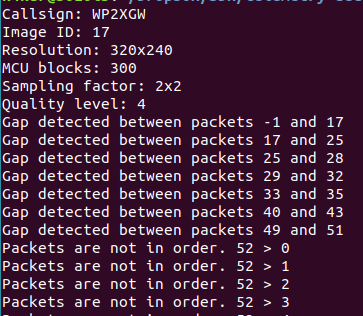
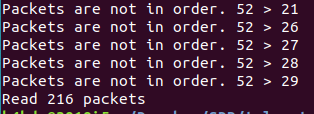

Congrats on the nice image!
3 Likes
I would have thought that by combining the two HEX files, SSDV would parse through the frames and fill in any portion of the final image that only one of the captures contains. However, that does not happen. You only get the complete image from whichever HEX file is listed first in the CAT command.
Other than simply looking at the sequence number of each frame and copy/pasting them manually into a new ‘combo’ HEX file (from multiple source files), does anyone know if there is a more simple way to merge multiple source files to ultimately feed into SSDV?
1 Like