Hi I have set up the new QFH antenna and have plugged in the sdr however when I take the observation there is no waterfall data being produced not even the plot with no signal on it! It just says waiting for waterfall data I am not sure what the issue is has anyone come across this issue would be lovely if I can get any insight
Hi @kanishka and welcome!
Can you give us some more details?
Which station is it?
Can you also provide support report and logs from your station? For generating those check the yellow boxes at the top in Troubleshooting - SatNOGS Wiki.
Hello @fredy it’s station 4353 sky stick I think I missed inputting the value of the gain which I have now and might try the troubleshooting thank you is there any other suggestions?
empty or filled value in gain not affect to waterfall and audio result.
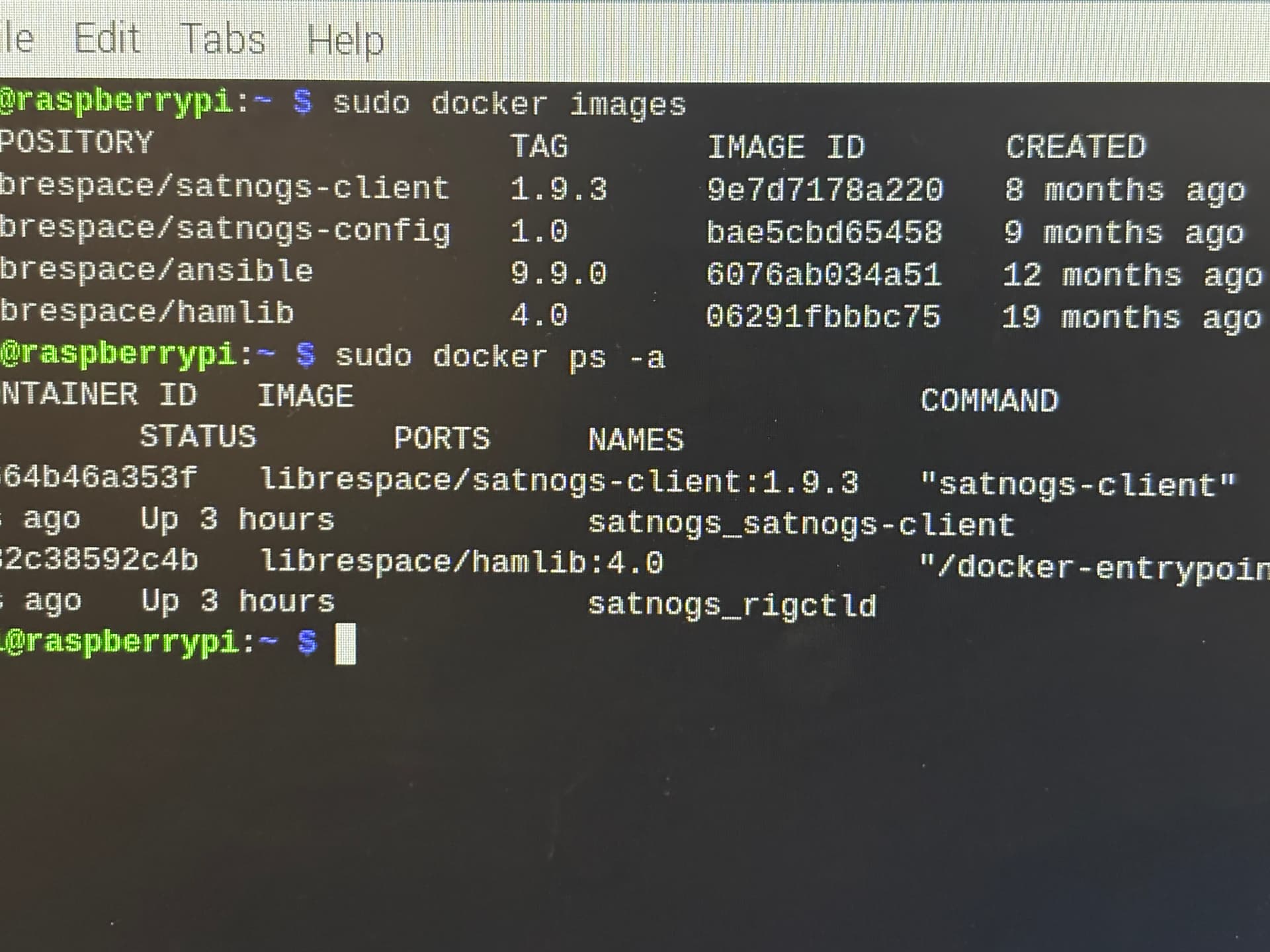
can you provide the result of this command:
sudo docker images
and
sudo docker ps -a
Without providing the support report, so we can check the configuration, and logs, for checking for any error message, it’s difficult to give you more suggestions.
@bali hello I got the following
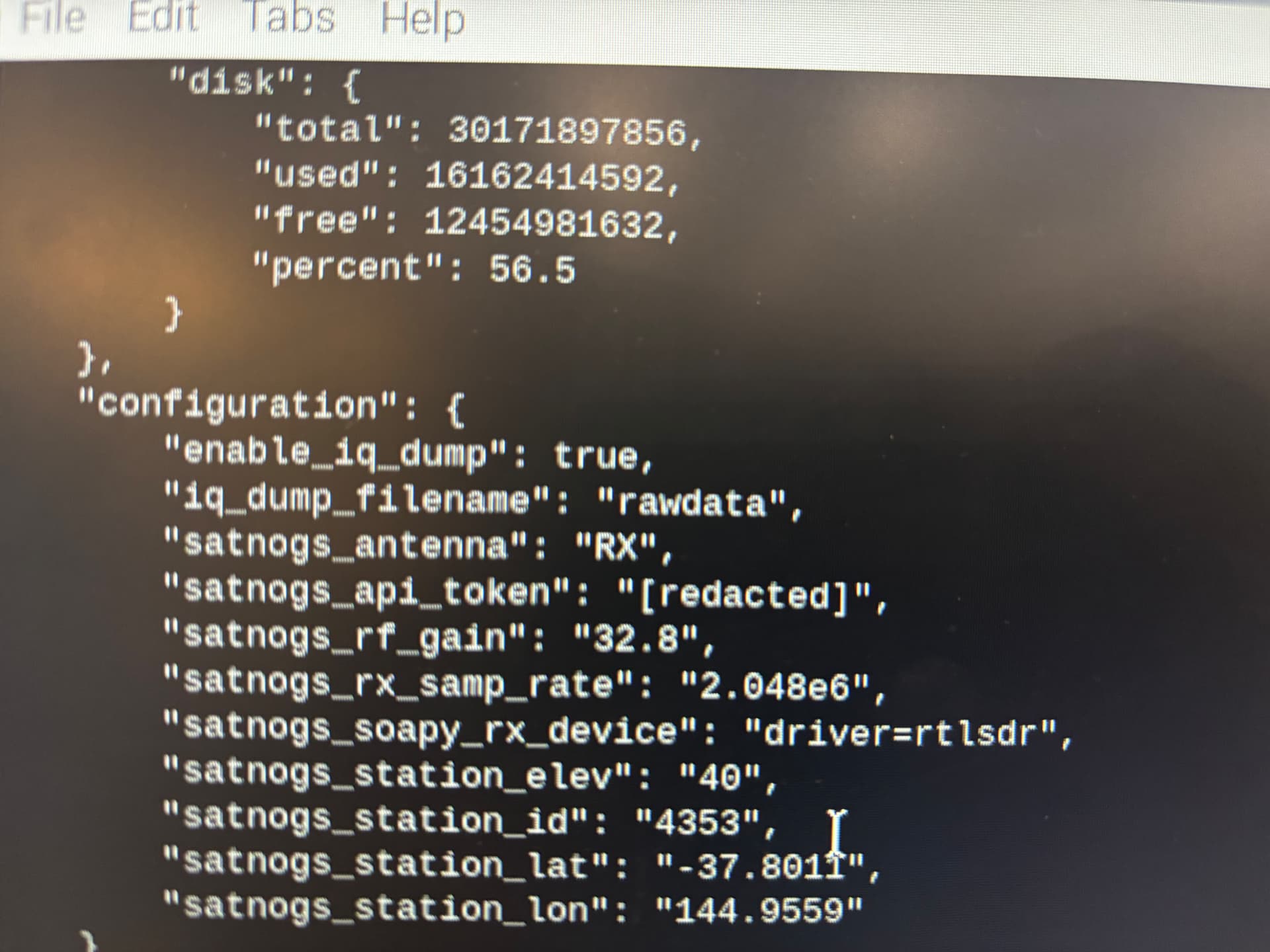
@fredy hello here is the configuration
send output each of this command:
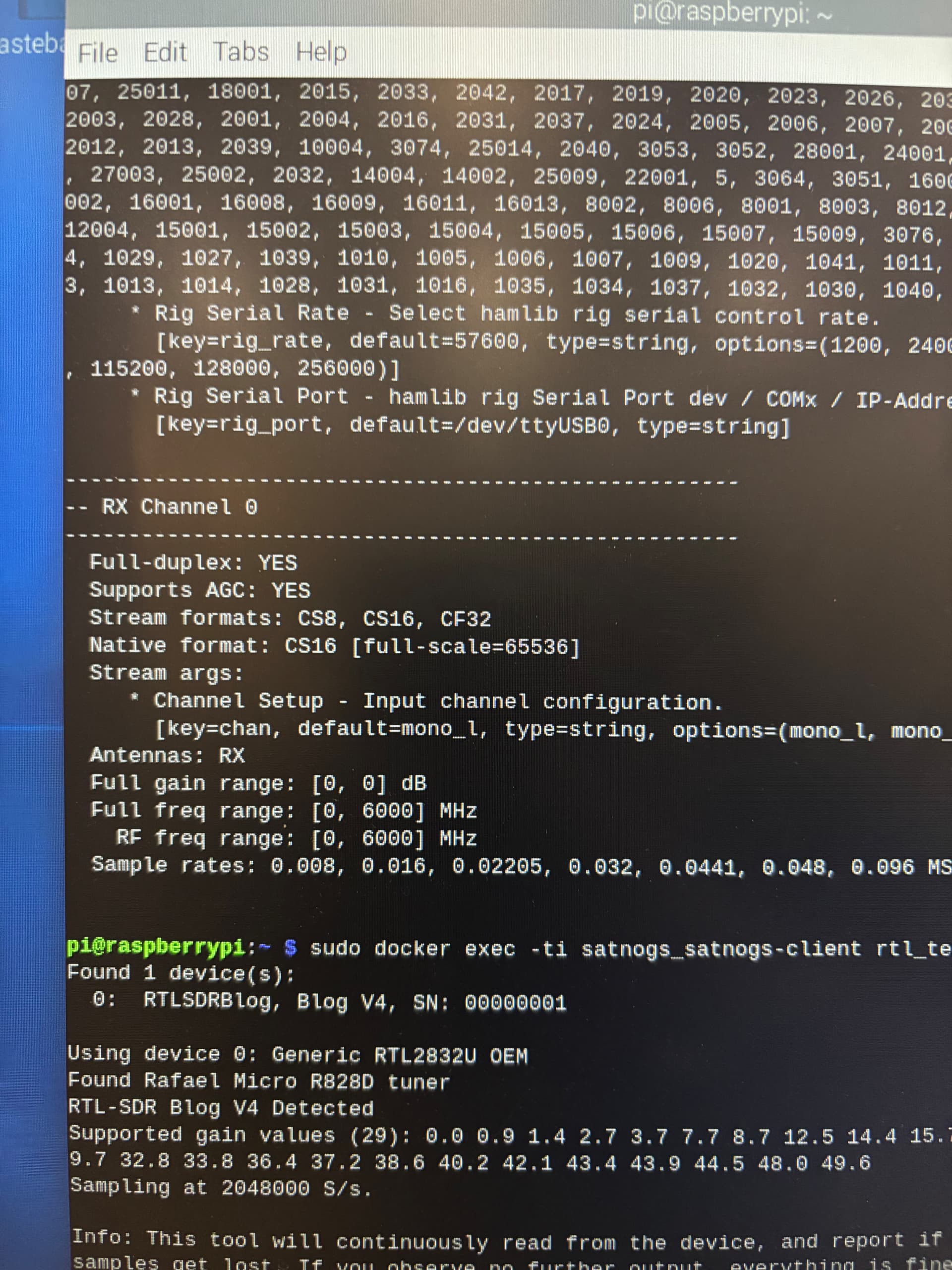
sudo docker exec -ti satnogs_satnogs-client SoapySDRUtil --probe
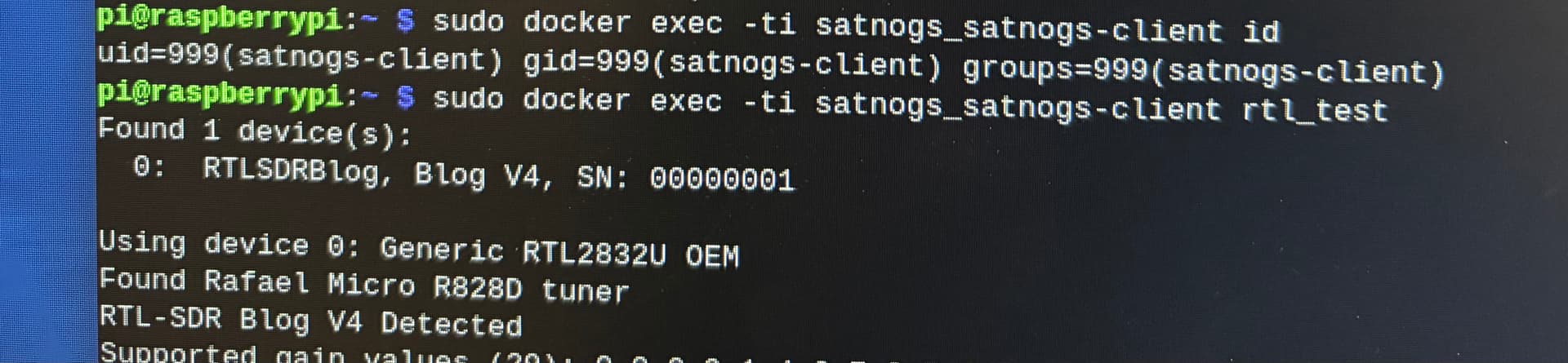
sudo docker exec -ti satnogs_satnogs-client rtl_test
sudo docker exec -ti satnogs_satnogs-client id
@bali this is what I am getting
output of this command:
sudo lsmod | grep rtl
no output is produced
all outputs are looking good.
ok now try run this command:
satnogs-setup
and set the log_level into this:
SATNOGS_LOG_LEVEL=DEBUG
and then run this command:
sudo docker logs -f satnogs_satnogs-client
dont close the window.
now on other browser window try to setup new observation some satellite. you can use “Future Passes” feature on web:
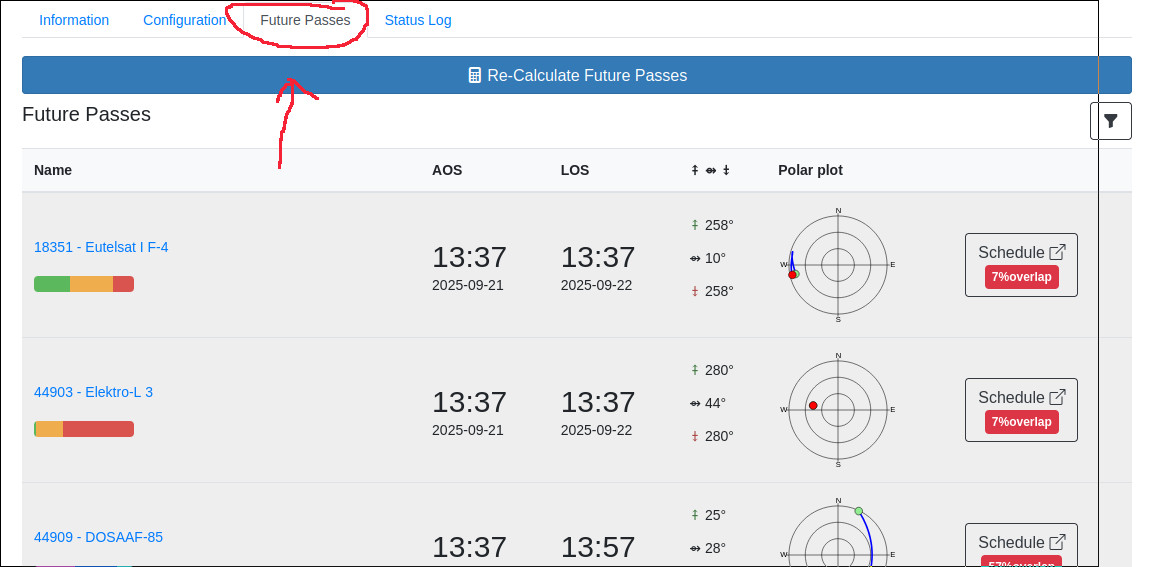
when it come, you will see the logs on other window are flow like running text. just see at the end of observation, looking word like ERROR , or something like that:
satnogs_client_1  | DEBUG    satnogsclient.scheduler.tasks   Fetched jobs from network, received 9 future observations.
satnogs_client_1  | DEBUG    satnogsclient.observer.worker   Tracking stopped.
satnogs_client_1  | INFO     satnogsclient.observer.observer Observation 12413944 finished.
satnogs_client_1  | INFO     satnogsclient.observer.observer Executing post-observation script.
satnogs_client_1  | grsat - INFO - Observation: 12413944, Norad: 57172, Name: 0 OBJECT G, Script: satnogs_sstv_pd120_demod.py, Baud: None, Freq: 437.625 MHz
satnogs_client_1  | grsat - INFO - No gr_satellites running
satnogs_client_1  | DEBUG    satnogsclient.observer.observer Rename encoded file for uploading finished
satnogs_client_1  | DEBUG    satnogsclient.observer.observer Creating waterfall plot.
satnogs_client_1  | DEBUG    satnogsclient.waterfall         Reading waterfall file
satnogs_client_1  | DEBUG    matplotlib.colorbar             locator: <matplotlib.ticker.AutoLocator object at 0x7f8c5ec430>

satnogs_client_1  | DEBUG    satnogsclient.scheduler.tasks   Post data started
satnogs_client_1  | DEBUG    satnogsclient.scheduler.tasks   Trying to PUT observation data for id: 12413944
satnogs_client_1  | DEBUG    satnogsclient.scheduler.tasks   PUT file waterfall_12413944_2025-09-21T13-37-40.png to network API
satnogs_client_1  | DEBUG    satnogsclient.scheduler.tasks   URL: https://network.satnogs.org/api/observations/12413944/
satnogs_client_1  | DEBUG    satnogsclient.scheduler.tasks   Headers: {'Authorization': 'Token xxxxxxx'}
satnogs_client_1  | DEBUG    satnogsclient.scheduler.tasks   Observation file: {'waterfall': <_io.BufferedReader name='/tmp/.satnogs/data/waterfall_12413944_2025-09-21T13-37-40.png'>}
satnogs_client_1  | DEBUG    urllib3.connectionpool          Starting new HTTPS connection (1): network.satnogs.org:443

satnogs_client_1  | INFO     satnogsclient.scheduler.tasks   Upload successful.
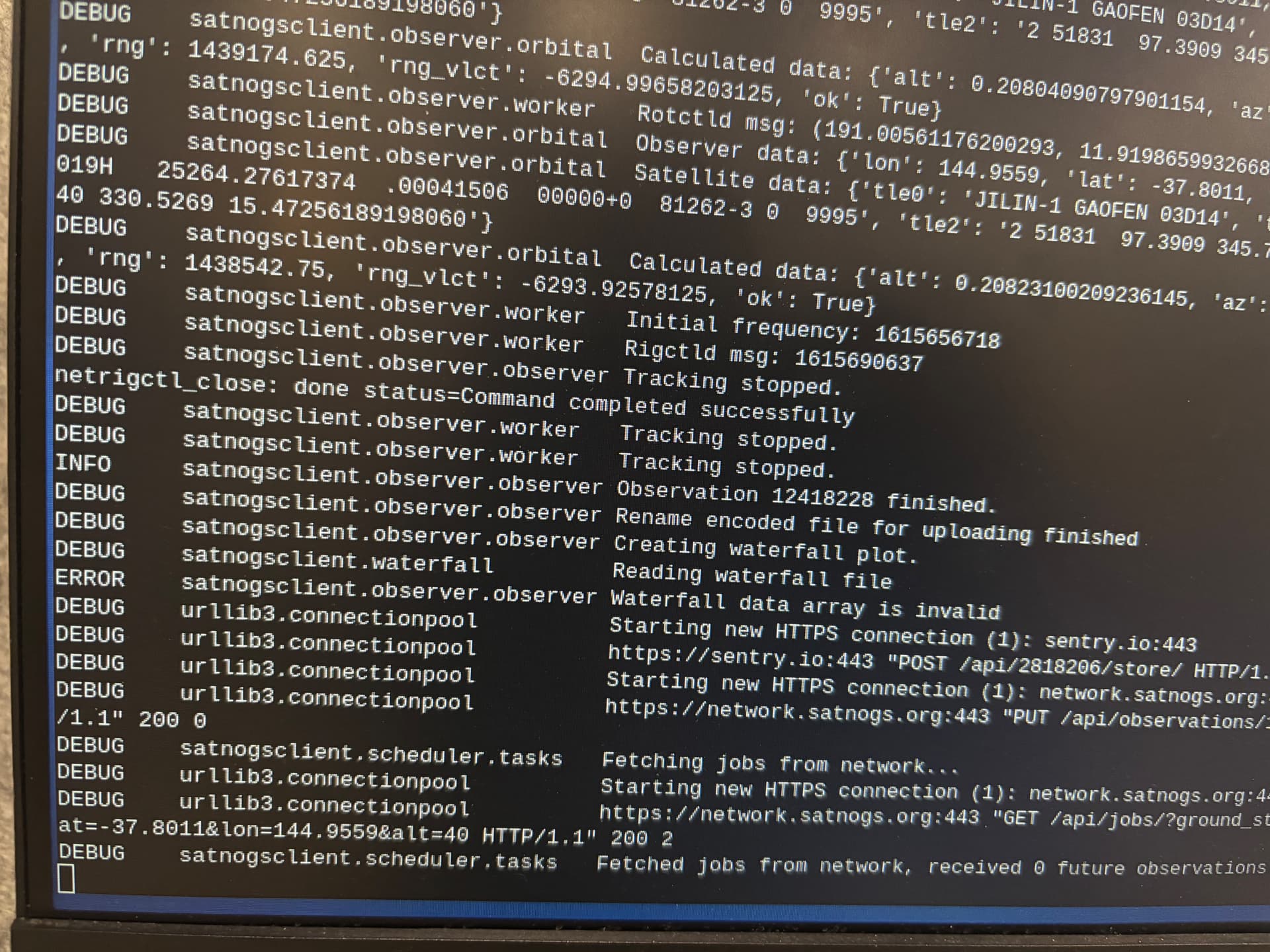
try scroll above, are you get many data Calculated data: bla bla bla , or only few ?
I have many
so the sdr is normal, and can grab the signal but failed to create waterfall = “waterfall data array is invalid”.
as fredy say, try generate support report.
copy paste the support report =
To generate it, go to the menu item Advanced -> Support in sudo satnogs-setup
you should paste complete. try shot all.