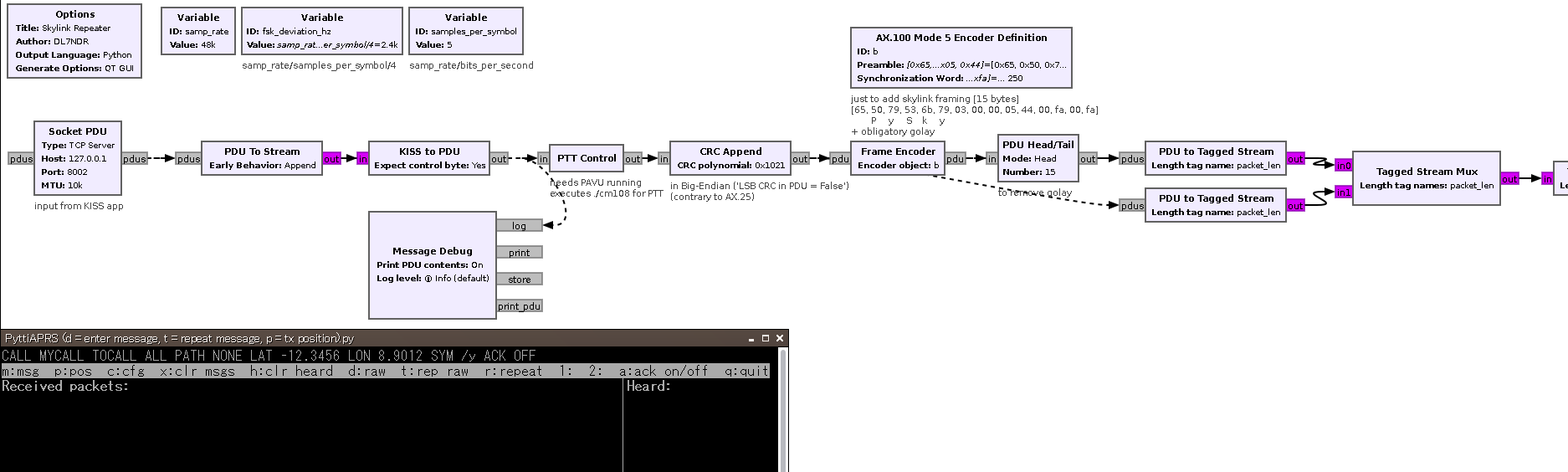
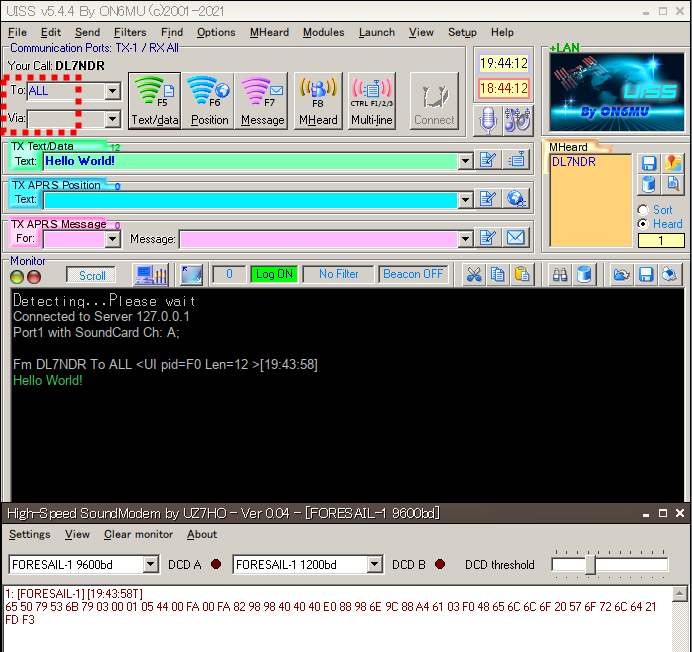
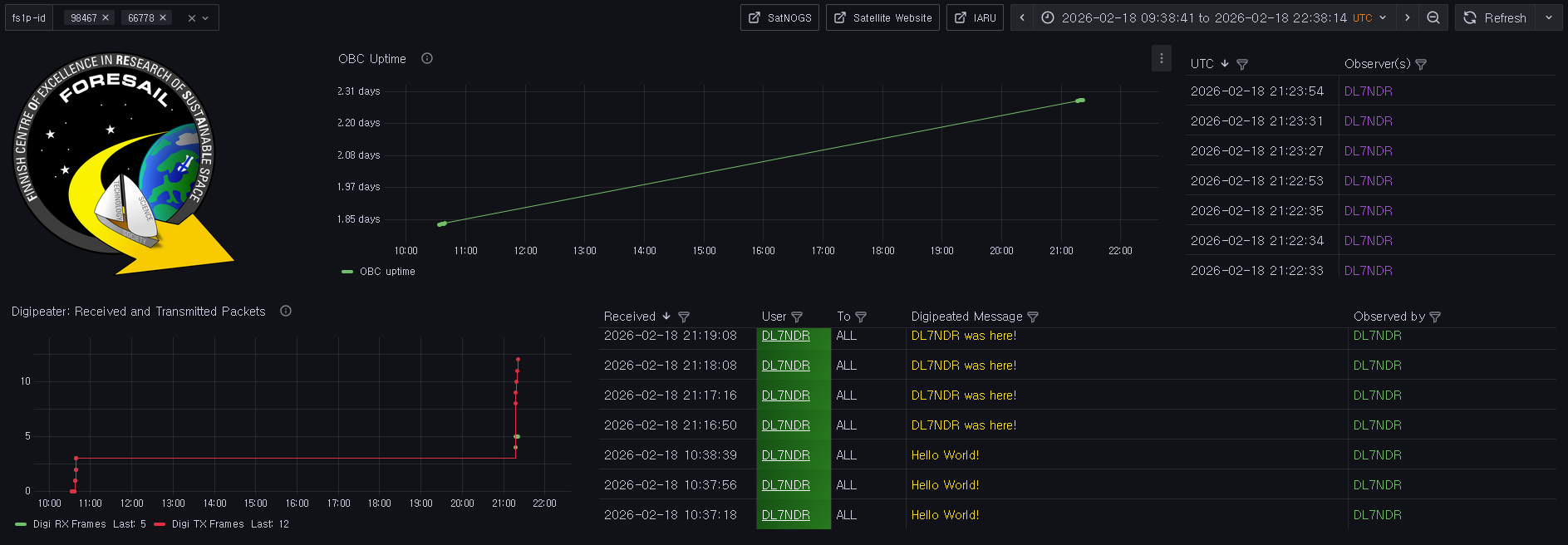
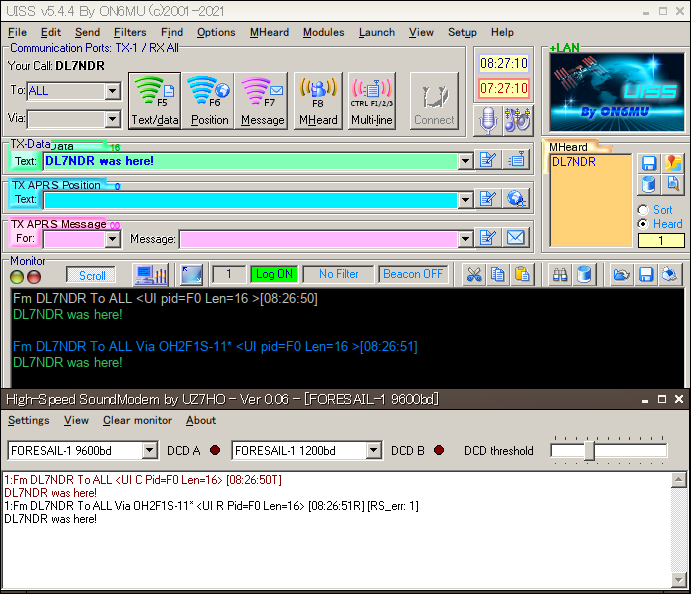
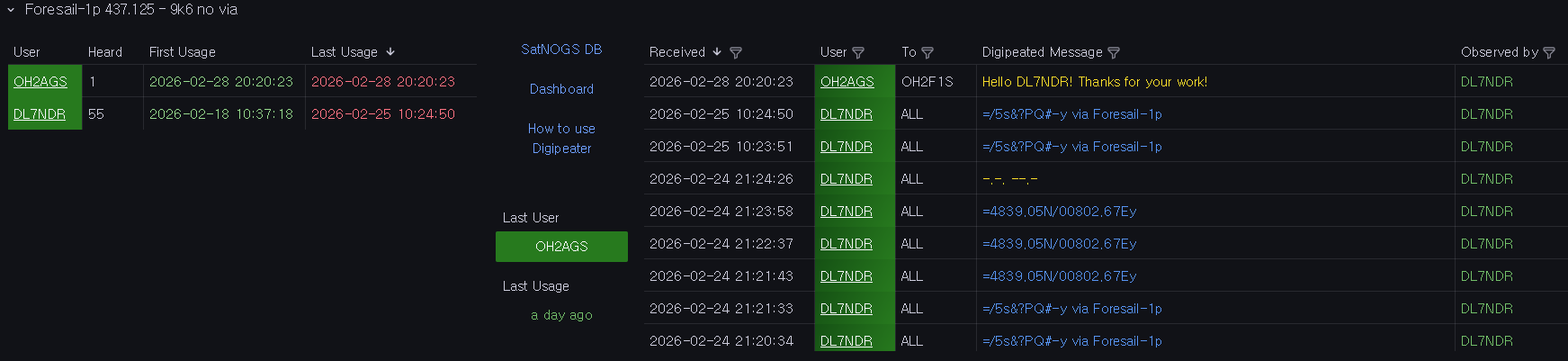
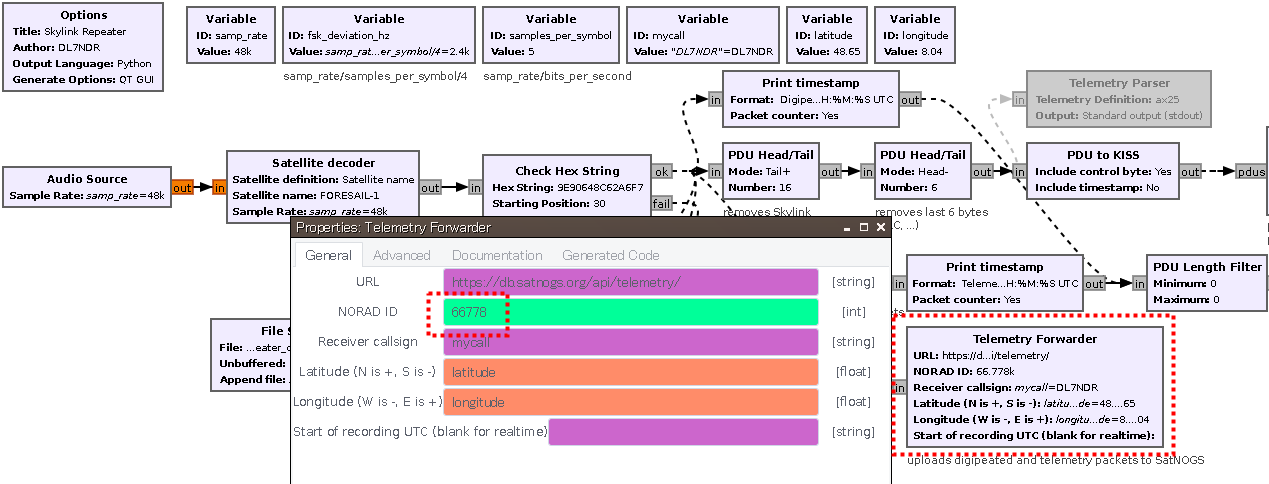
. Block PTT Control (for cm108) not fully sophisticated (very time sensitive), flowgraph could produce buffer underrun (aU). The wav file output however works very well!
It’s currently for TX only.
listens on audio in with gr-satellites satellite decoder
uploads digipeated and telemetry packets to SatNOGS (others are discarded)
counts digipeated and telemetry packets
stores both packet types in separate files (each .kss and .hex)
forwards digipeated packets to PyttiAPRS (KISS client)
constructs skylink repeater packets from PyttiAPRS message input and outputs it via audio
executes TX ‘on’ and ‘off’ command for CM108 sound cards when new repeater message from PyttiAPRS arrives
allows to generate WAV files for single messages to be sent manually without GNU Radio
Use it together with PyttiAPRS (included in .zip) to transmit messages to the digipeater or just for receiving and uploading packets to SatNOGS.
Digipeater usage hint:
If the UHF module resets, the repeater is switched off automatically and needs to be switched on again manually.
Check uhf uptime for it.
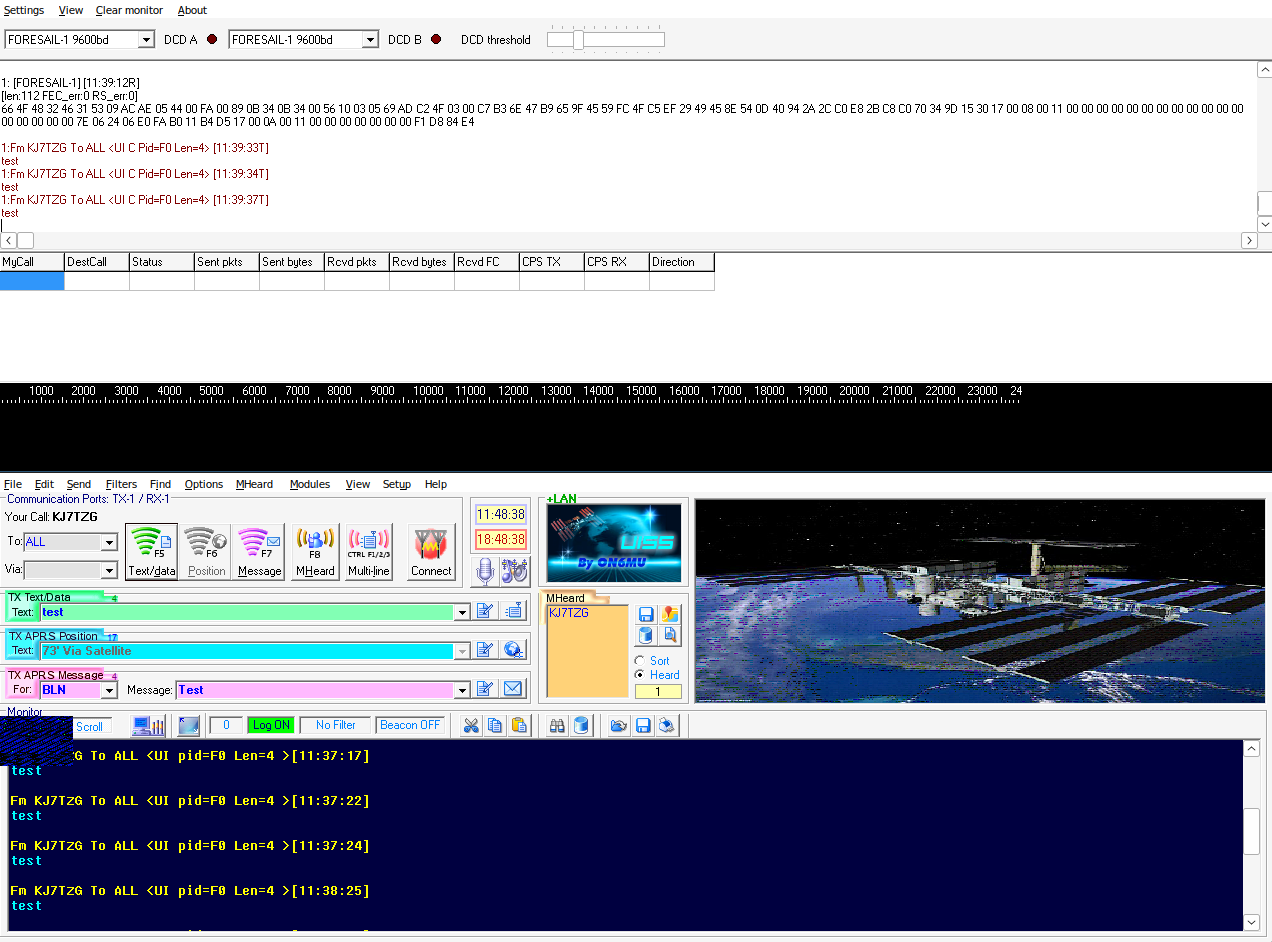
I have been trying to utilize the sound modem method and not sure I am getting much luck with it. I am definitely getting usable packets out of the sound modem (did a loopback test and it decoded it) but I have not been able to receive any digipeated packets back. Do the DCDs need to be different?
Thanks for your interest in Foresail-1p digipeater.
DCD means Data Carrier Detect.
DCD A and DCD B only represent the dection of data for Modem A and Modem B.
Since Foresail-1p has only 9600bd, you need only one Modem. Therefore you may untick “Dual channel” under Settings - Devices.
The SoundModem has never been tested yet successfully on Foresail-1p.
I can only speak for my GNU Radio flowgraph. That works.
However, between 02/26 and 03/07 none of my packets got digipeated. Just today on 03/08 it started digipeating again (with the same settings as before).
Gotcha thanks for clarifying that the DCD bit and not getting sound modem working yet (I took one your later screenshot as showing that it did work via sound modem).
Right now my Transmit setup is the following:
UISS → SoundModem (latest one you posted in this forum) →Sdrangel → plutosdr → driver amp →430mhz bpf→ PA → 50ft coax → 7dB Vertically Polarized Yagi antenna. I have measured before and get around 50Ws at the antenna input which should be fine to close a link.
I might be able to get your gnuradio script to work with sdrangel since I am just using audio sinks and sources to sdrangel but initially it seemed like the sound modem would be easier to get running.
How do you do PTT? What did you set up in the SoundModem?
By the way, the GNU Radio flowgraph needs a cm108 chip to toggle a pin for TX
I don’t know if this would also work with Pluto’s GPIOs.
Did you use this setup already successfully on other 9k6 digipeaters?
Ptt I handle in sdrangel (serial device that disables or enables the Driver amp to the PA).
I also should have clarified it is on az el rotor. But otherwise I haven’t had any luck with lasarsat or crocube with getting digipeater working (tried multiple passes and not much luck). Have mostly used sound modem for both lasarsat and crocube and can clearly decode packets.
At first to make sure that your rig works for 9k6, could you try GRBBeta on VHF?
Its receiver is very sensitive and it waits for about 1 second before it repeats the received packet. Should be enough to disable the driver amp to the PA and switch back to RX.
Unfortunately I only have uhf and not vhf setup so can’t try grb beta .
Do you know how long crocube, lasarsat and others typically wait before repeating the packet? I can probably improve my ptt time if that is the problem.